Hardware regression check
2026-09-23: all-on rerun
Pixel 6a, Android 17: PASS 9/9, 0 failed, 0 skipped
Chromium 156.0.8071.0 with WebAppShortEdgesCutoutMode:enable_standalone/true. The standalone cold/refresh/CCT path, fullscreen CCT recovery and backswipe, keyboard/IME, status icon appearance, requestFullscreen, toolbar top edge, and repeated landscape cover → auto → contain → cover → auto all passed. The keyboard accessory instrumentation test passed separately on the same final build, then the validator was rerun with its fresh result.
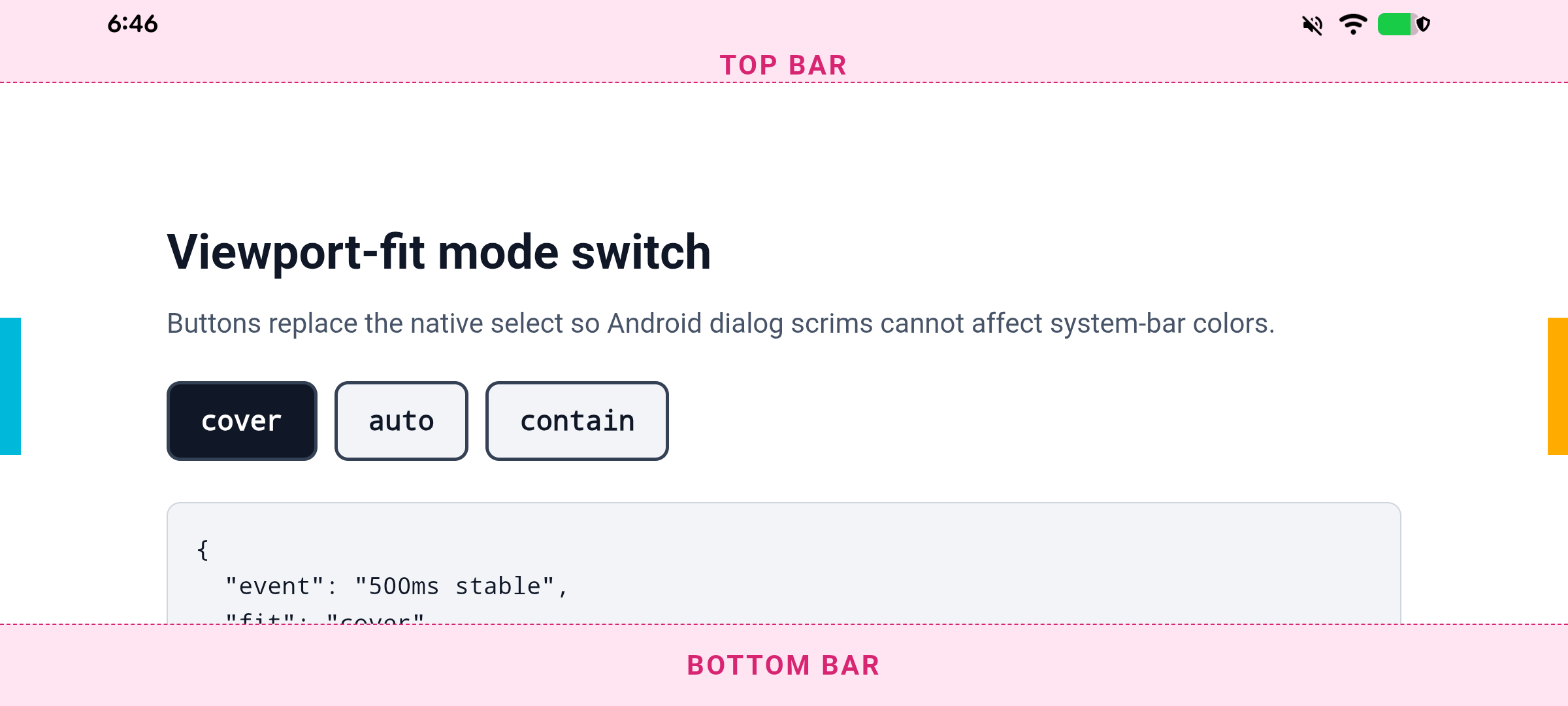
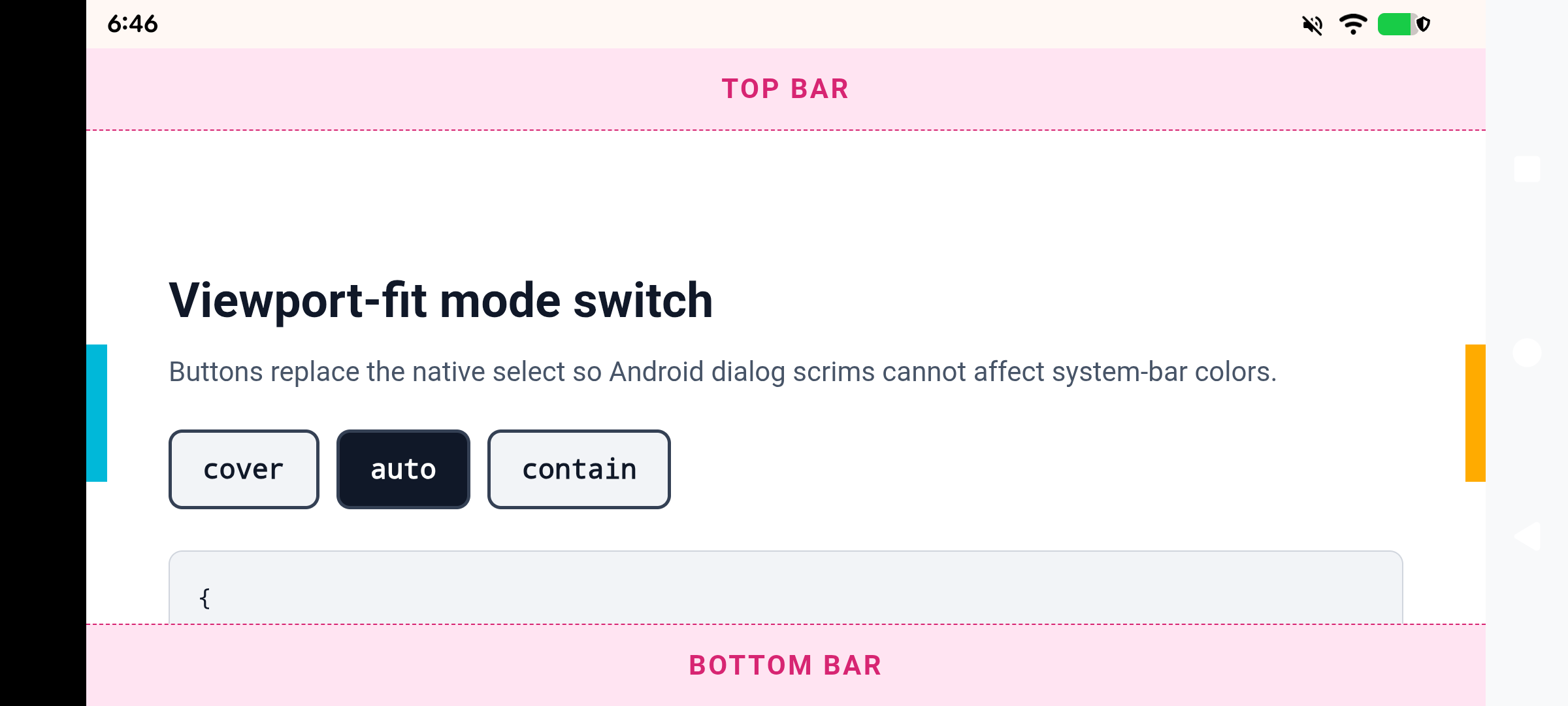
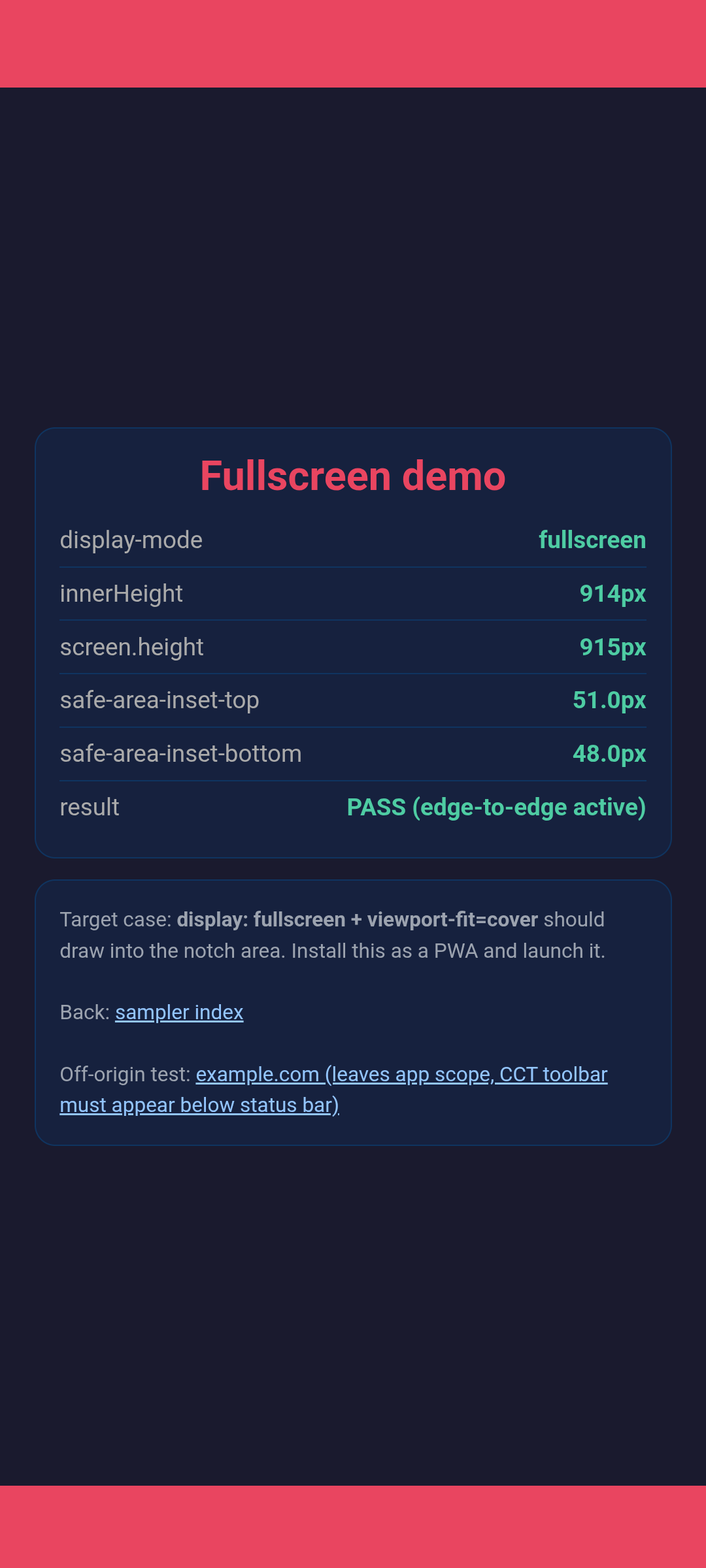
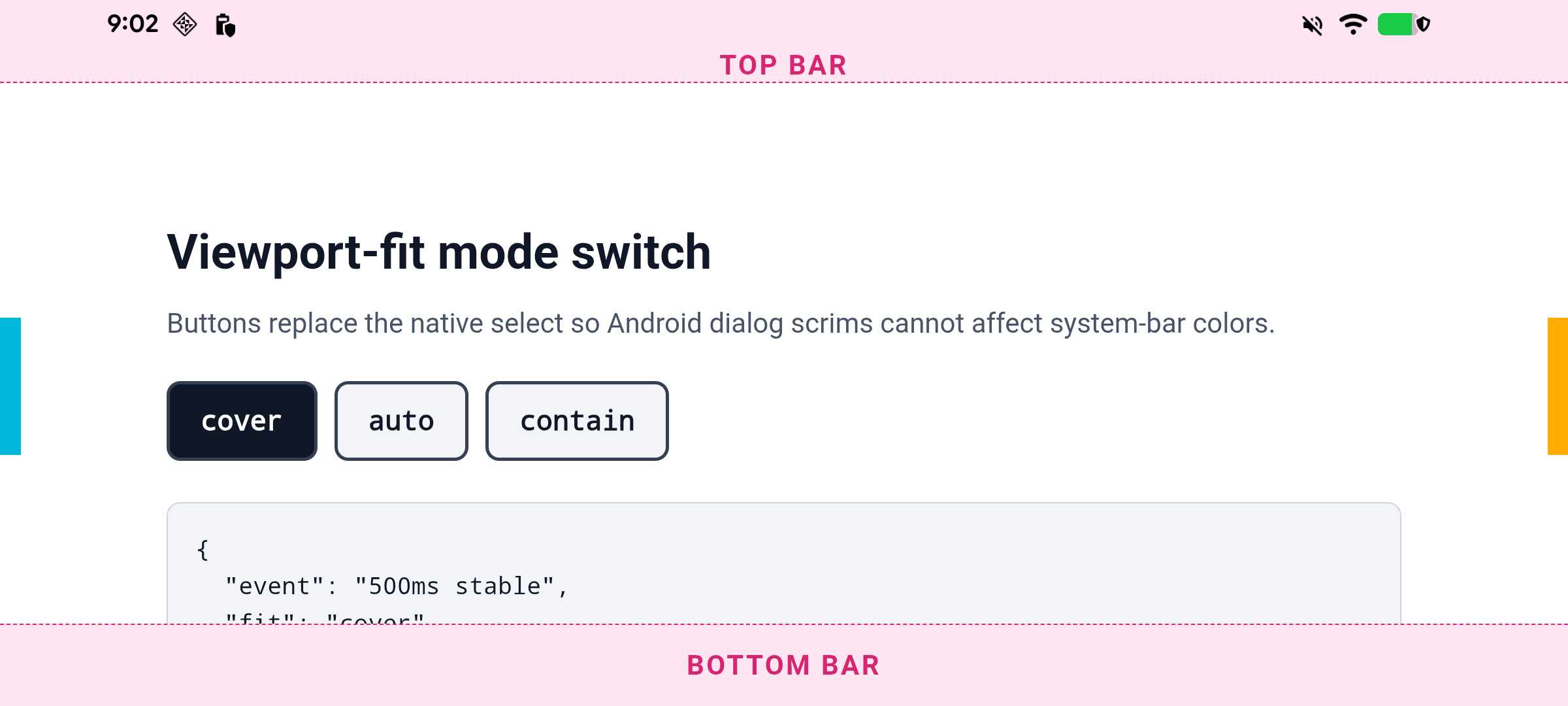
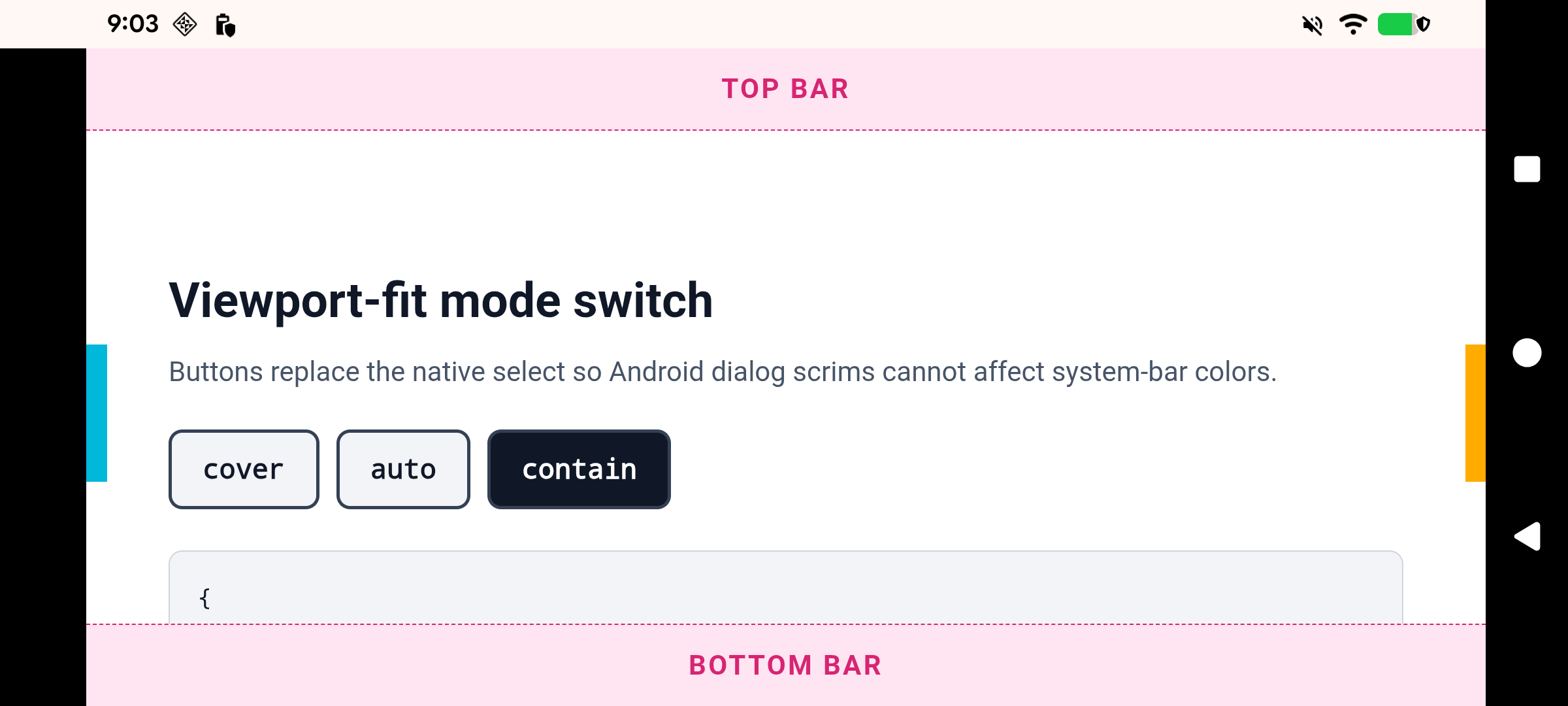
Landscape cover spans 914 CSS px with a 51px left safe area; auto and contain fit to 816px with zero side safe area. The original Android 16 run below remains archived rather than overwritten.
Summary and metrics · Command-line state per launch · Accessory test · Arm64 APK · Source patch · Build info · Checksums · Rerun script
The complete automated matrix ran end-to-end on a Pixel 6a, including the new landscape viewport-fit transition cases (cover → auto → contain → cover → auto) and the on-device keyboard accessory instrumentation test. Both artifacts found during this work are now root-caused and fixed: the cold-launch toolbar hairline remnant and the system bar icons staying white over a white page. All fixes are uploaded under Gerrit topic hja-pwa-fixups.
| Case | Patched | Stock control |
|---|---|---|
| Fullscreen PWA cold launch | PASS 832/832, safe top 29 | 803/832, safe top 0 |
| Standalone PWA cold launch | PASS top edge-to-edge, opaque 48px nav fallback | 755/832, safe top 0 |
| Pull-to-refresh | PASS metrics stable | control remains fitted |
| Off-origin CCT toolbar | PASS toolbar begins below status bar | same |
| Standalone parent recovery | PASS 784/832 remains stable | 755/832 remains fitted |
| Fullscreen parent recovery | PASS remains 832/832, safe top 29 | 803 before and after |
| Fullscreen backswipe | PASS viewport remains 832 | starts fitted at 803 |
| requestFullscreen baseline | PASS 832/832 | 832/832 |
| Three-button navigation rendering | PASS page content renders behind the buttons | content renders behind buttons |
| Dynamic status icon contrast | FIXED status icons and navigation buttons follow the page theme | stock 141 toggles |
| Landscape viewport-fit transitions | PASS cover/auto/contain geometry and repeat-cycle equality | n/a (feature off) |
| Cold-launch toolbar hairline remnant | FIXED capture parked fully offscreen | hidden by fitted status bar |
| IME CSS safe-area transition | PASS 15px closed, 0px open | not edge-to-edge, 0px throughout |
| Keyboard accessory integration | PASS physical IME geometry + injected Chrome accessory | production accessory captured |
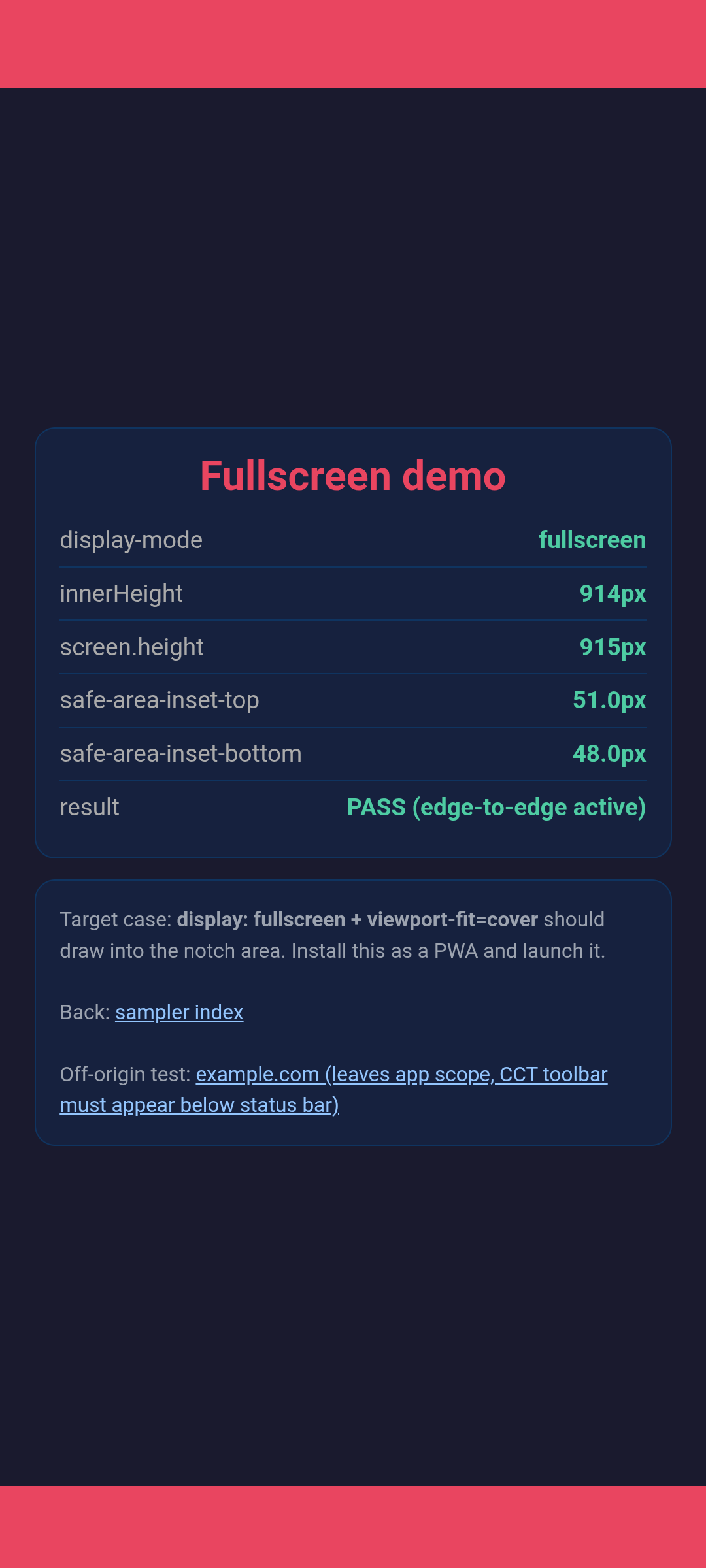
All patched-side screenshots below are from the latest all-fixes Pixel 6a run. Metric numbers quoted in the case texts (832/832, safe top 29) are from the original SM-A546B run and correspond to that device's dimensions; the Pixel 6a equivalents are 914/915 with safe top 51. Stock-control screenshots remain from the Samsung control run. The only intentionally old capture is the fullscreen-recovery "before" failure evidence.
Original sampler cases
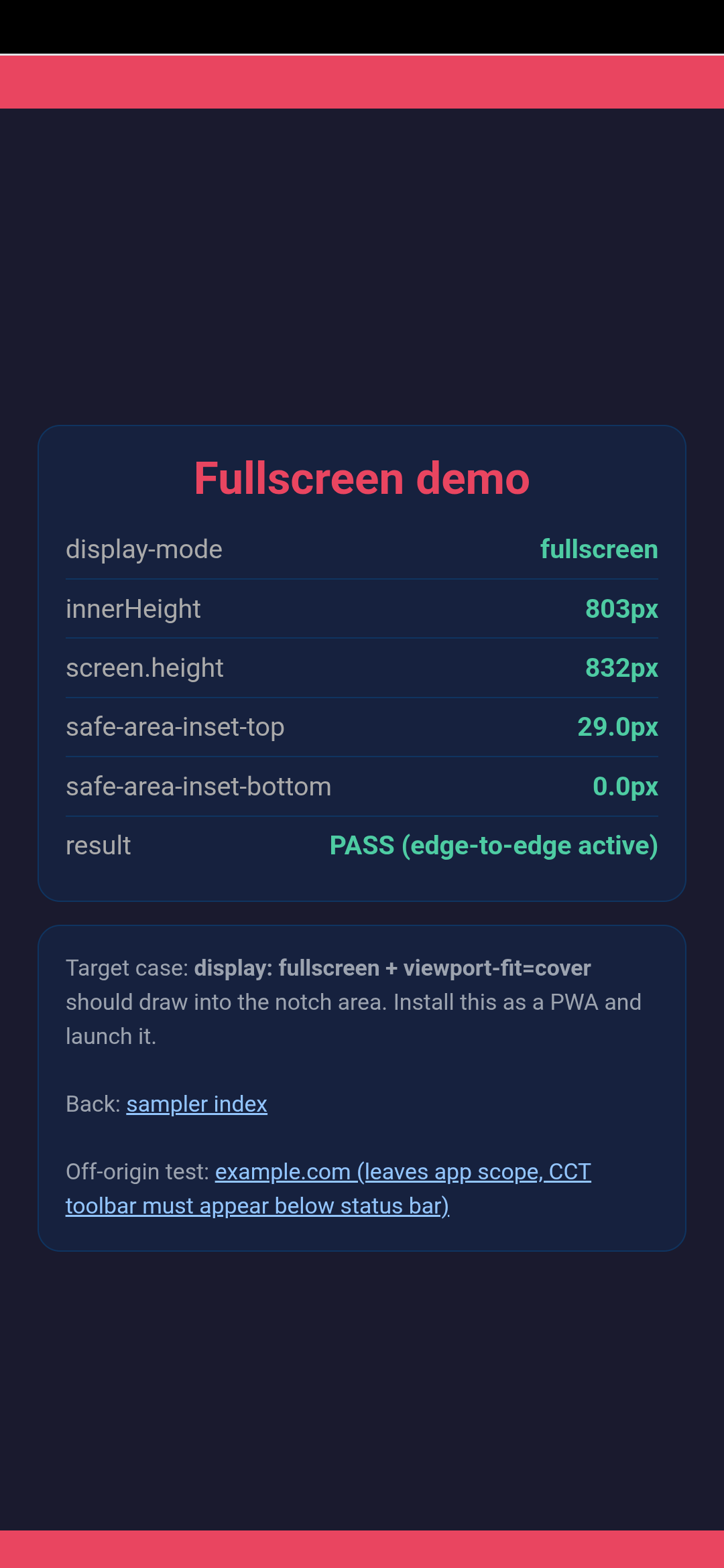
Case 1: fullscreen PWA cold launch
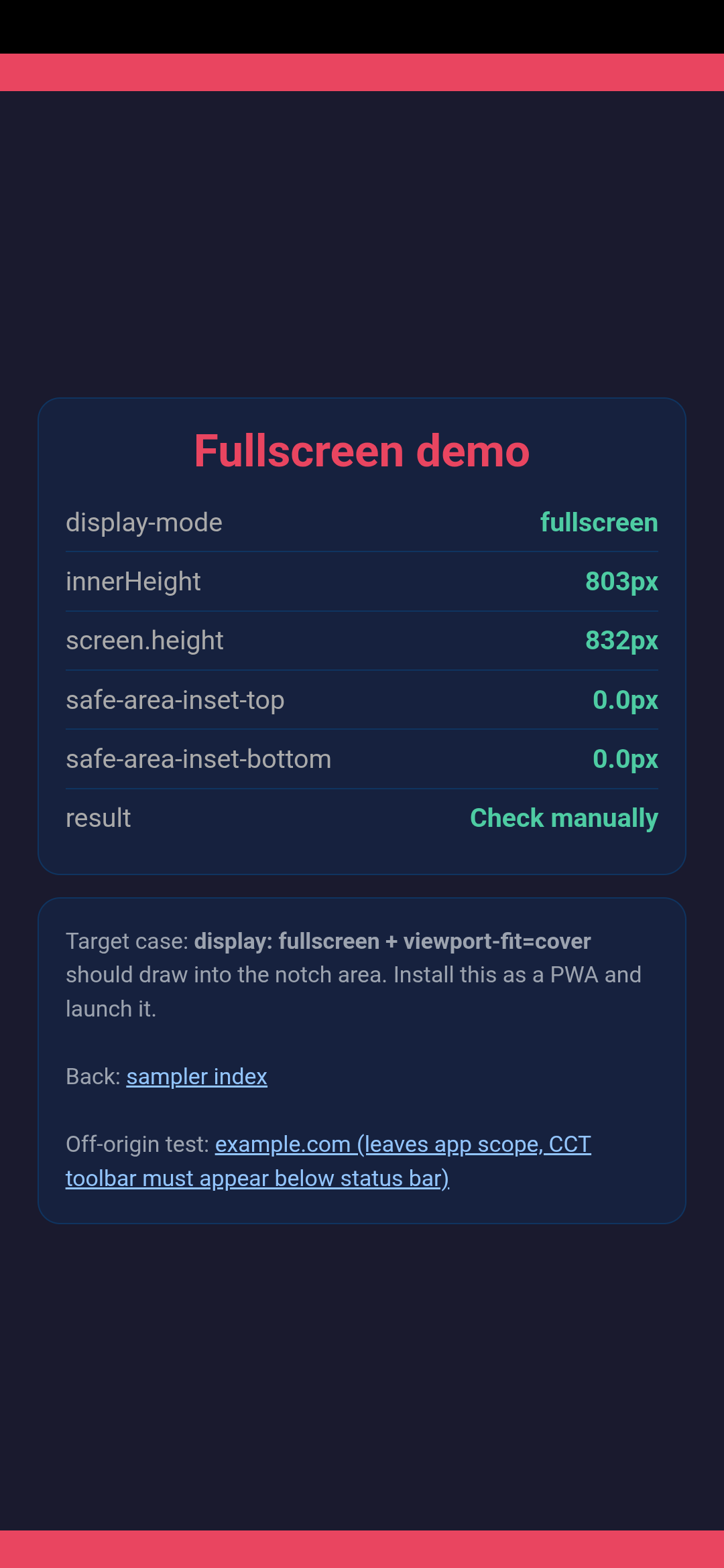
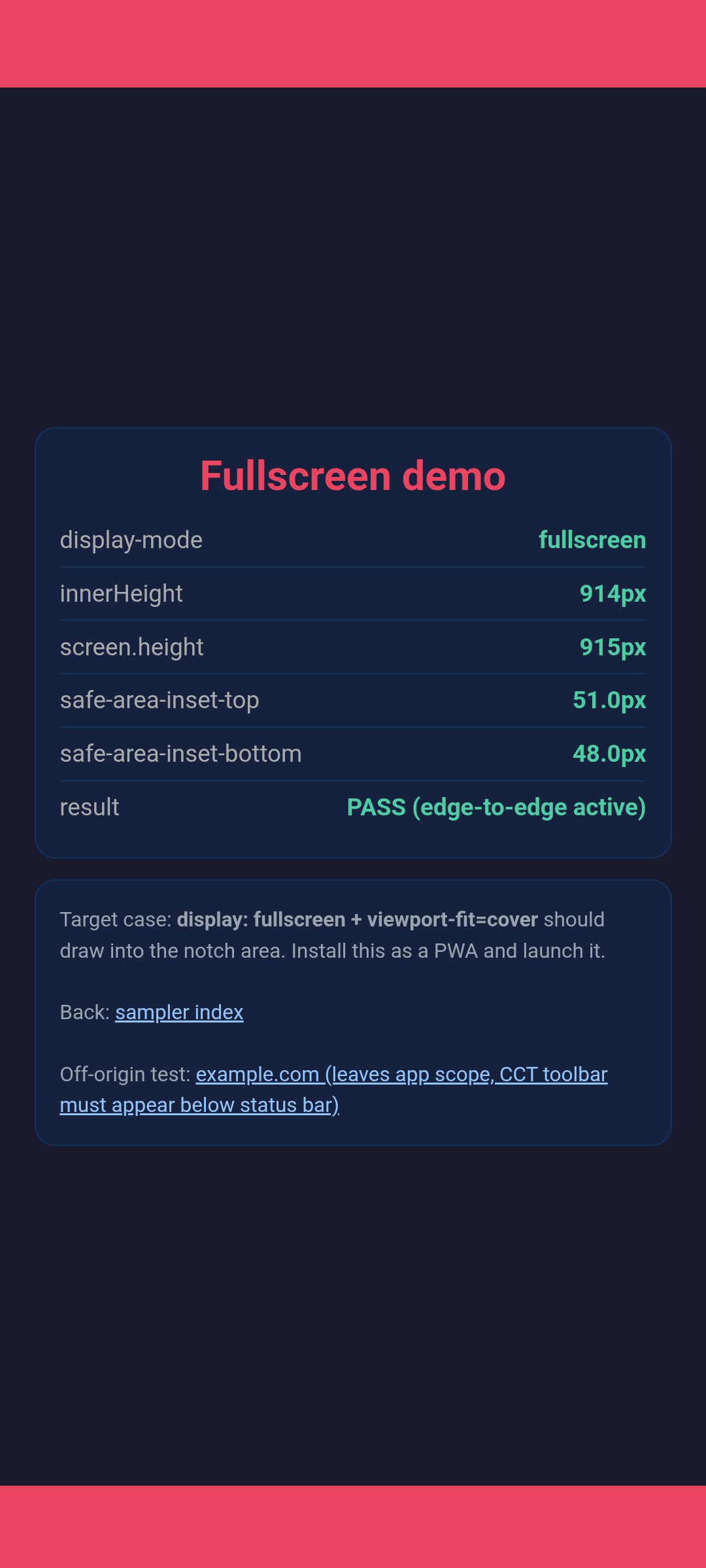
Patched Chromium occupies the complete 832 CSS px screen and exposes the 29px top safe area. Stock Chrome reproduces the original fitted top and reports no safe area.
safe top 29px
safe top 0px
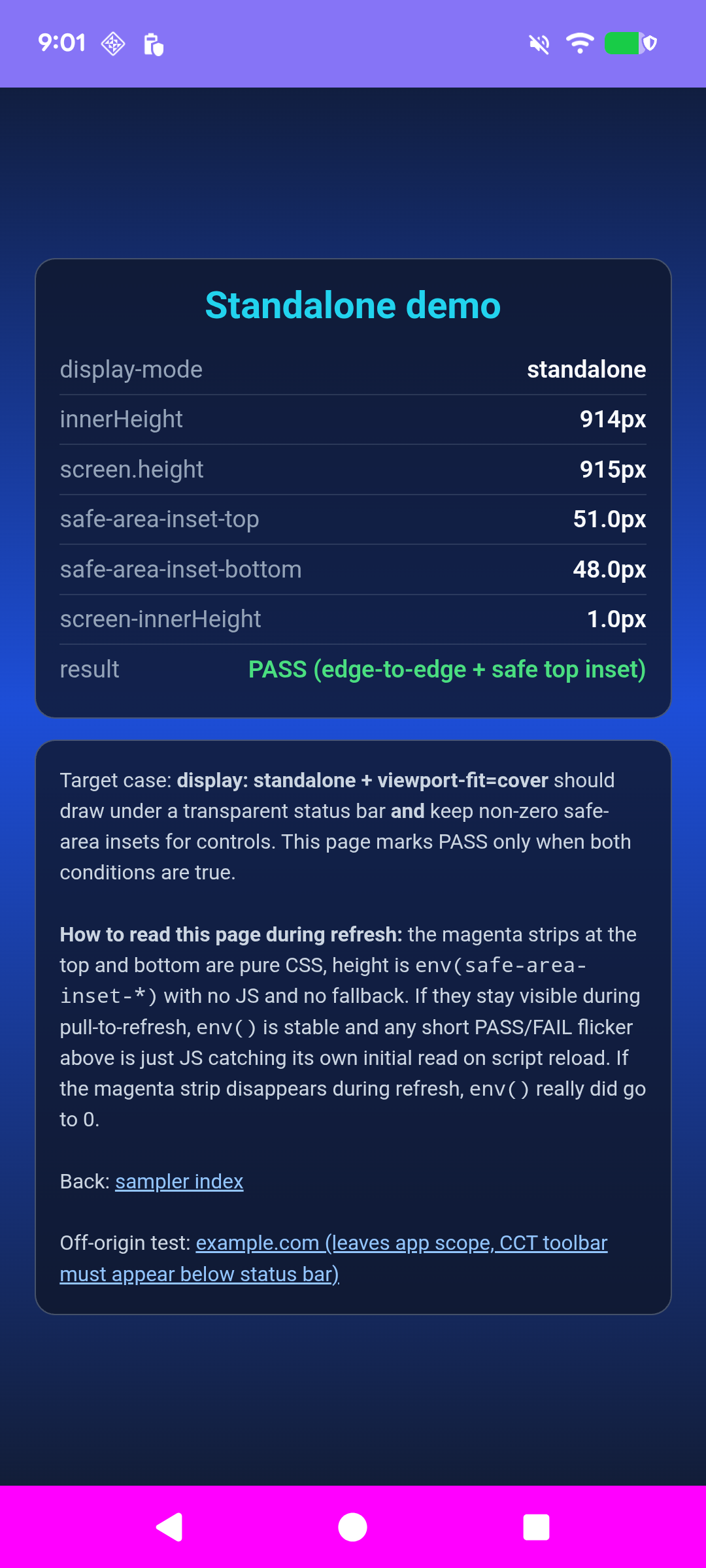
Case 2: standalone PWA
The patched page draws behind the status bar and receives a 29px safe area. Its 48px height difference is solely the opaque three-button navigation fallback. Stock excludes both status and navigation bars.
top 29px, bottom 0px
top 0px, bottom 0px
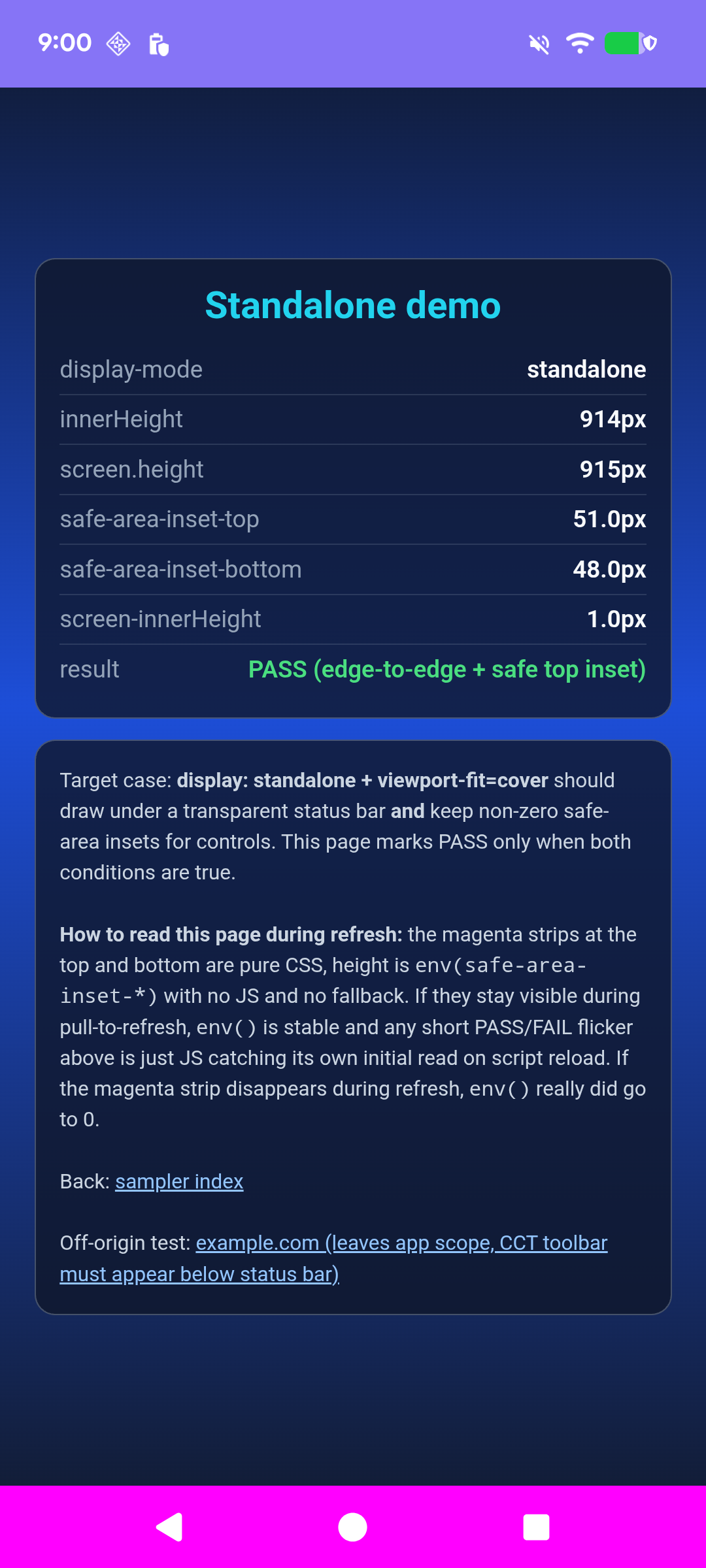
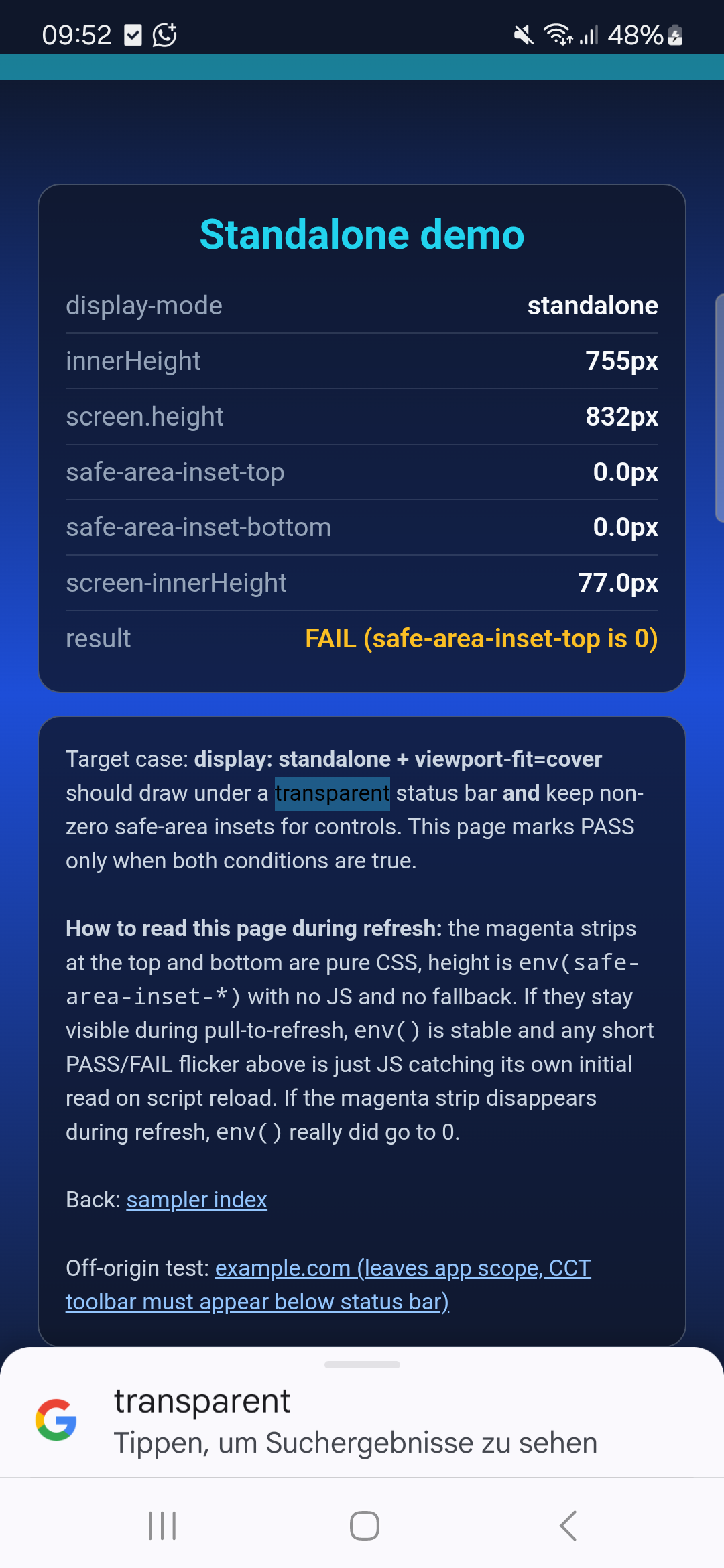
The sampler initially called the patched result a failure because its heuristic assumed a navigation bar no taller than the status safe area. The live sampler now allows a 64 CSS px opaque three-button navigation fallback while still requiring a non-zero top safe area.
Case 3: fullscreen backswipe
Gesture navigation was enabled temporarily and restored afterward. Patched Chromium retained innerHeight=832, visualViewport=832, and safe-area-inset-top=29px. No resize event was added by the swipe.
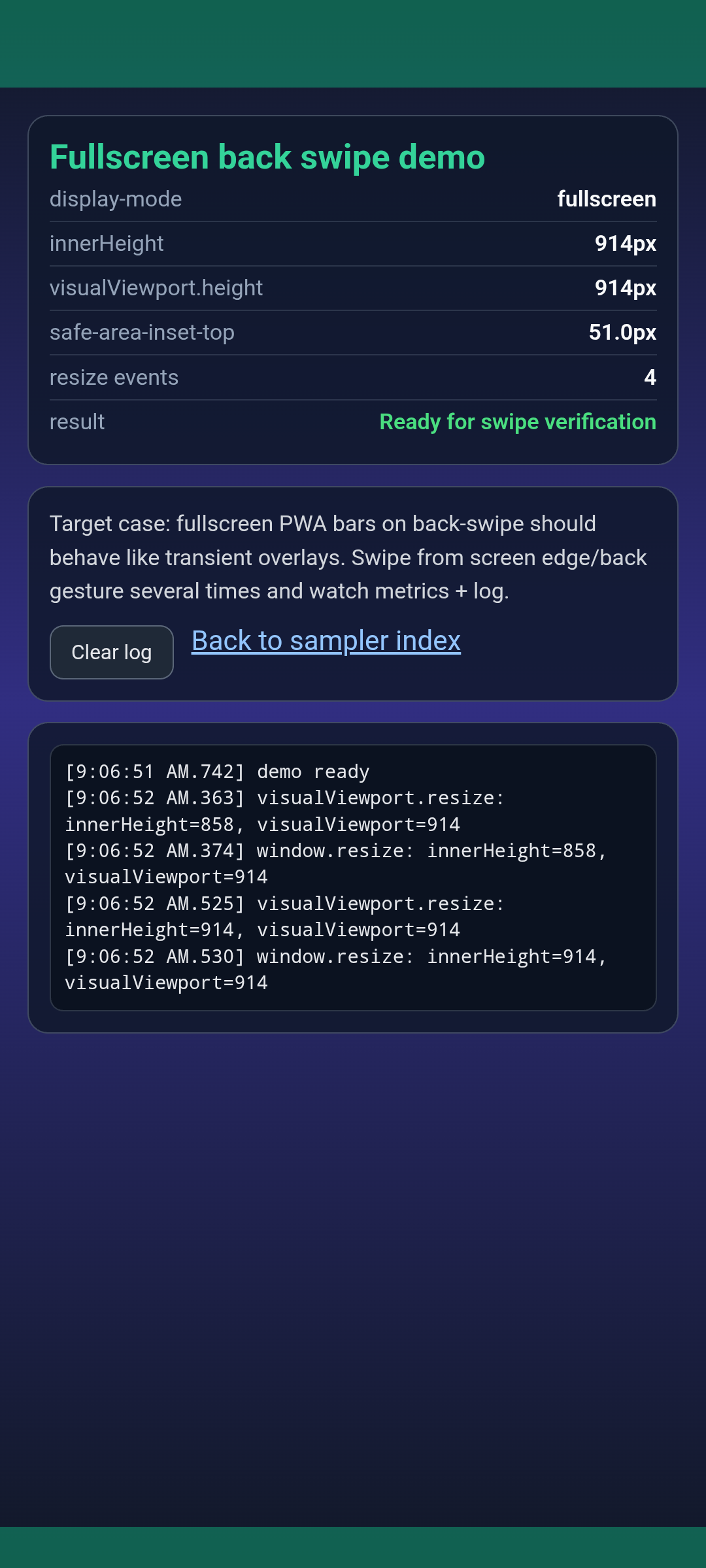
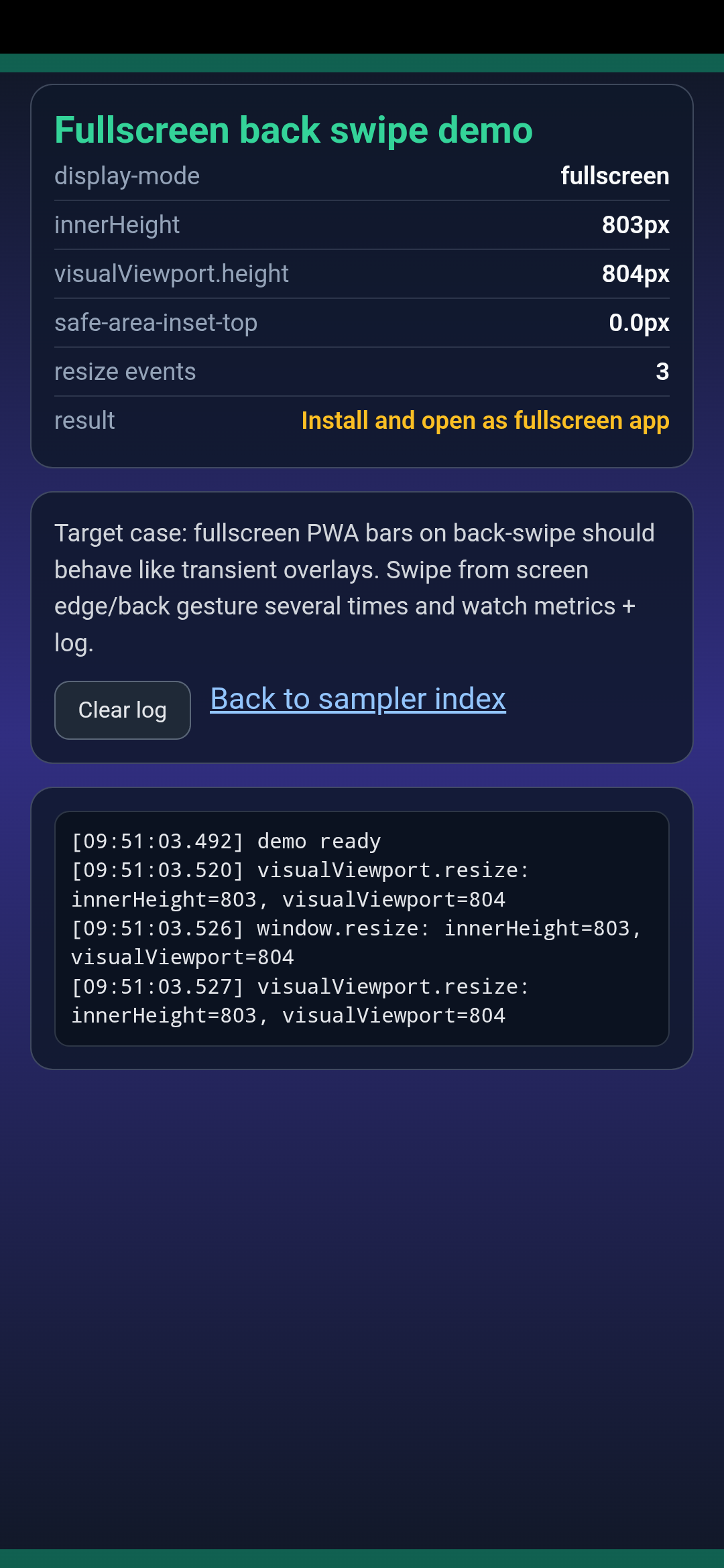
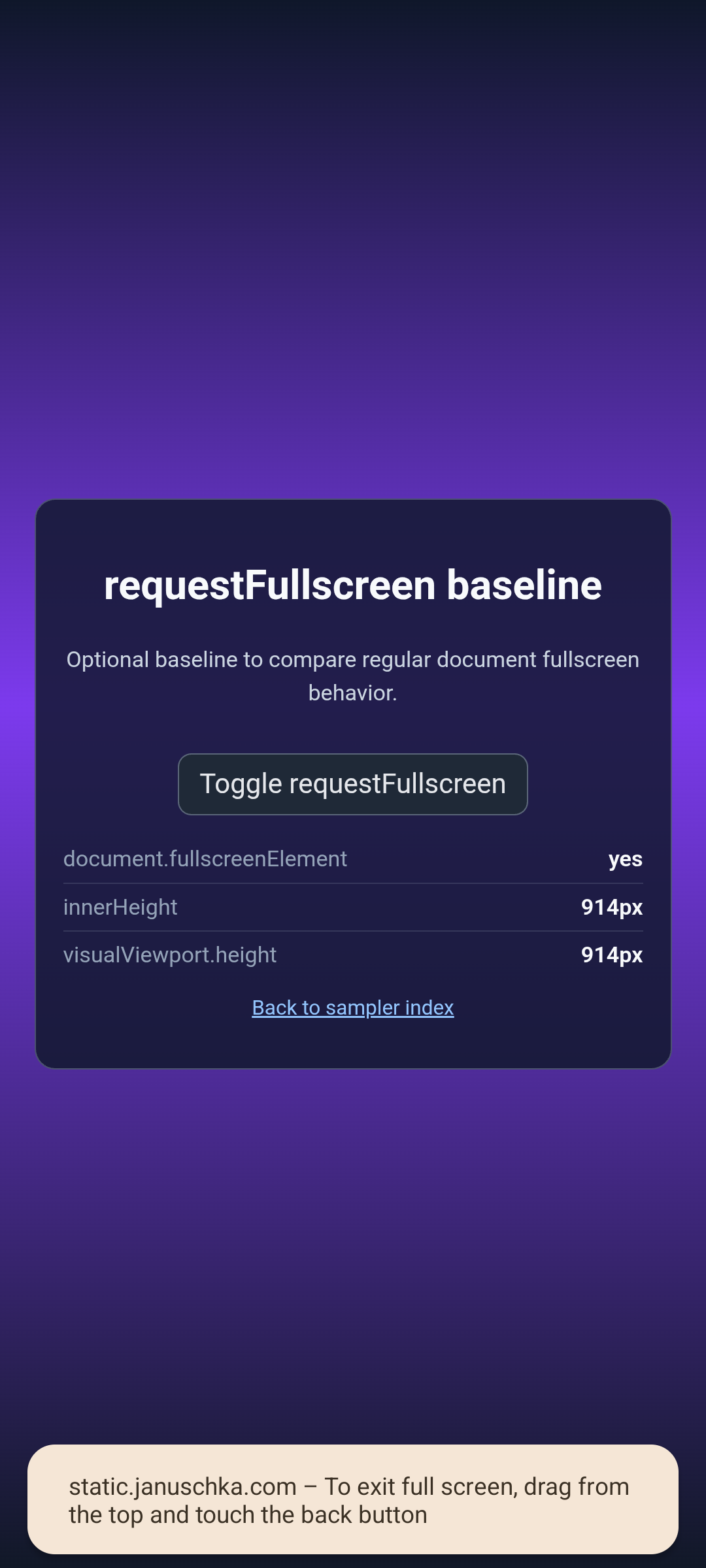
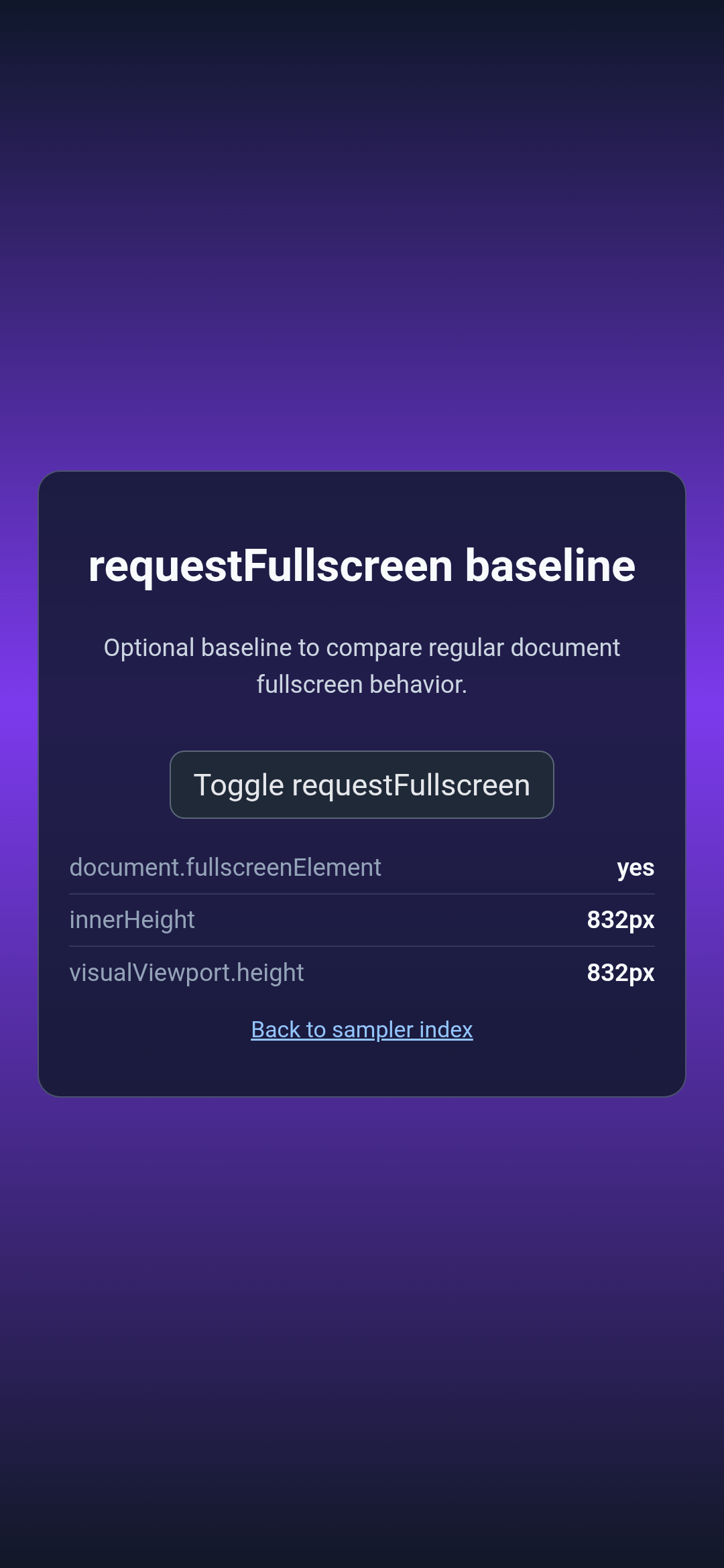
Case 4: document.requestFullscreen()
The regular document API remains unchanged and fills the complete screen in both builds.
832/832
832/832
Navigation and child-tab transitions
Fullscreen PWA recovers full top layout after child CCT closes
The failure came from mutating the window's copied layout attributes without applying them. The child transition reset the registered cutout mode to default. Calling Window.setAttributes() makes shortEdges reach WindowManager again when immersive mode returns.
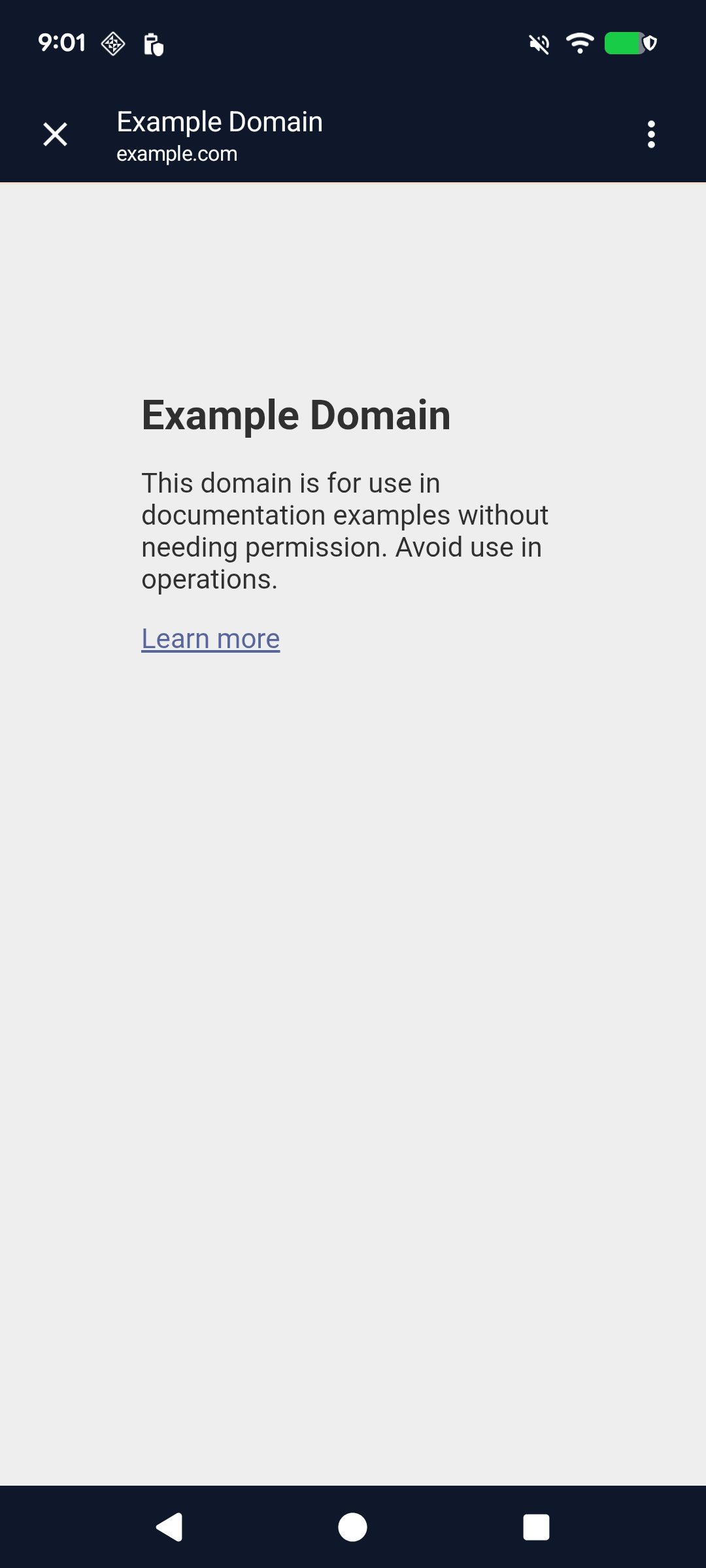
Standalone off-origin CCT and recovery
The toolbar starts at physical y=80, below the status bar, and closing it returns to the same 784/832 standalone viewport with top safe area 29px.
Follow-up reports
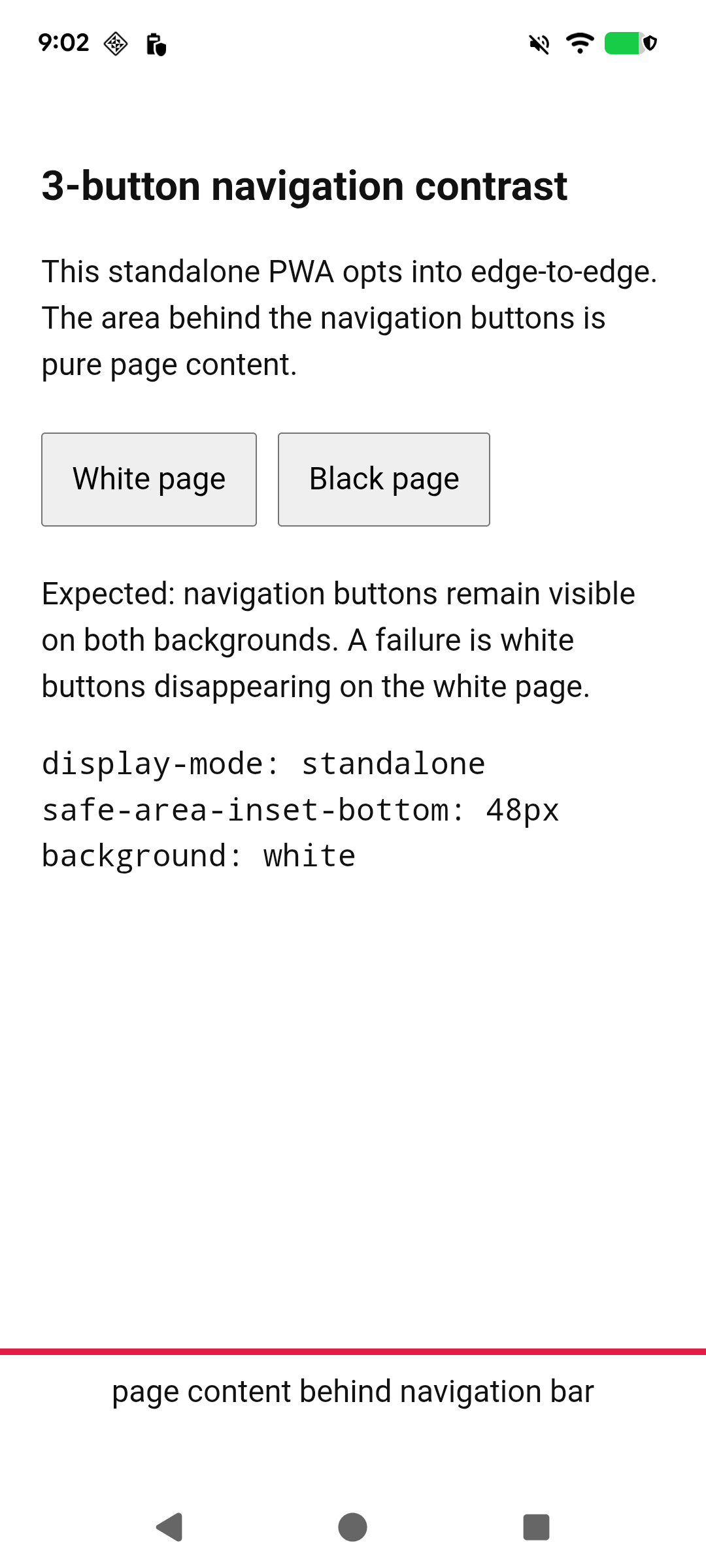
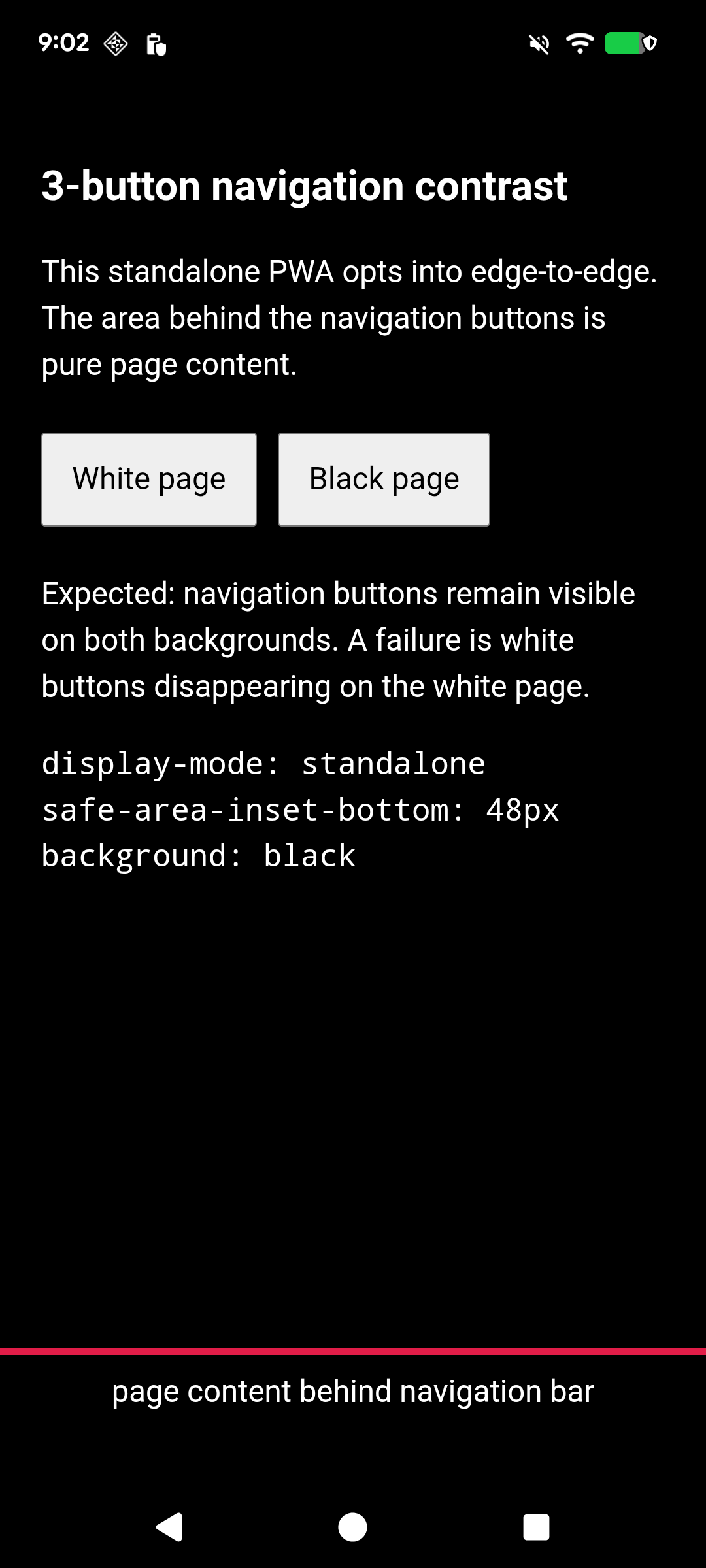
Three-button navigation rendering
Verified on the Pixel 6a: page content renders behind the Back, Home, and Recents buttons on both white and black pages, with no opaque browser fallback. The remaining status-icon issue is upstream: with the edge-to-edge base layout active, webapp theme-color changes no longer toggle APPEARANCE_LIGHT_STATUS_BARS, so status icons stay light over a white page. This reproduces with the feature flag disabled and with all local changes stashed out of the build.
Landscape viewport-fit transitions
The Fit Switch PWA cycles cover → auto → contain → cover → auto under a landscape rotation lock. cover must span the full landscape width with a non-zero CSS side safe-area inset; auto and contain must use a narrower fitted viewport with zero CSS side inset. The second cover and auto captures must exactly match the first, which catches stale padding or inset ownership after dynamic transitions. Every state also records JSON metrics and the WindowManager state.
Cold-launch toolbar hairline remnant: fixed
Every cold launch of an edge-to-edge web app showed a 1 dp strip of the dynamic theme surface color at the very top of the screen. Root cause: the toolbar capture is toolbar + hairline tall (150 px here), but fully hidden browser controls rest exactly at the zero min-height boundary with browser-applied offsets, so the scroll-time boundary guard from the earlier hairline series skipped the adjustment and parked the layer at -147 px instead of -150 px, leaving the capture's hairline row visible. The fix also applies the adjustment when the controls are entirely off screen. Verified red/green in TopToolbarCoordinatorUnitTest (wanted setYOffset(-150), previously -147) and on hardware; 106 related stacker/control-container tests pass unchanged.
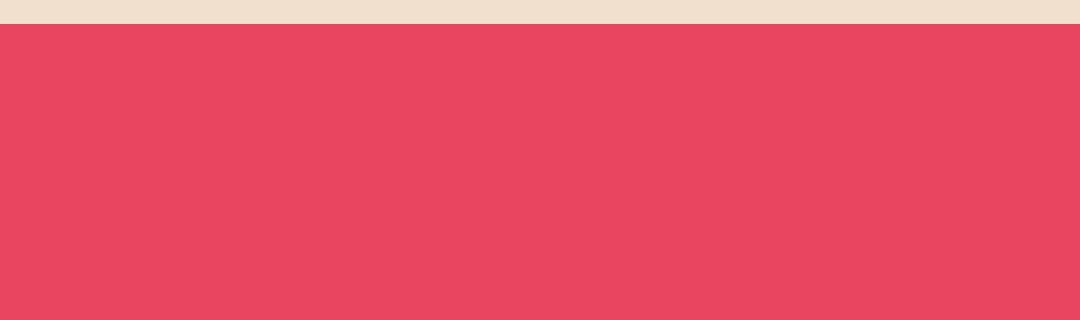

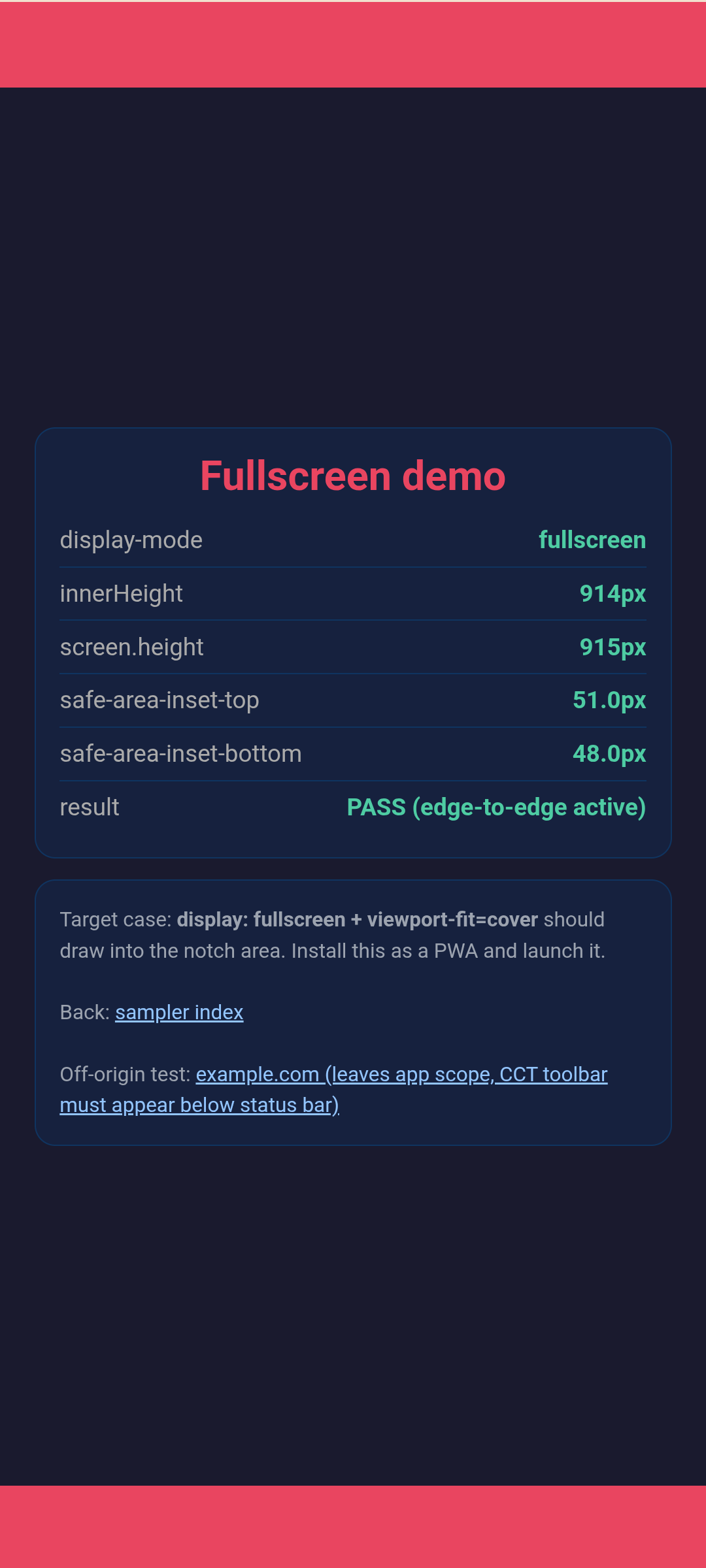
Commit: Hide toolbar hairline capture for fully hidden browser controls (Bug: 512898018). The artifact reproduced with the WebAppShortEdgesCutoutMode feature disabled, on a clean origin/main build, and persisted across scrolling; one off-origin CCT round-trip cleared it, which is why it needed a cold launch to reproduce.
System bar icons over white pages: fixed
Two stacked causes. First, homescreen webapp shortcuts run as ActivityType.WEBAPP and were excluded from bright and night-mode page theming, so a page switching theme-color to white never reached the status bar computation and APPEARANCE_LIGHT_STATUS_BARS never toggled. Second, edge-to-edge navigation buttons render over page content with a transparent bar but ignored the page theme entirely, leaving white Back/Home/Recents buttons invisible over a white page. The fix allows webapp theming like WebAPKs and derives the navigation button appearance from the theme color, updating on theme and edge-to-edge changes. Verified red/green in BaseCustomTabRootUiCoordinatorUnitTest and CustomTabNavigationBarControllerTest; on hardware the white page now reports LIGHT_STATUS_BARS LIGHT_NAVIGATION_BARS and the black page clears both. Uploaded as CL 8227486.
Keyboard safe-area and scroll behavior
Under temporary gesture navigation, the standalone page reports bottom safe area 15px with the keyboard closed and 0px after the IME opens. The visual viewport changes from 832px to 488.5px while innerHeight remains 832px on this Samsung keyboard implementation.
VV 832px
VV 488.5px
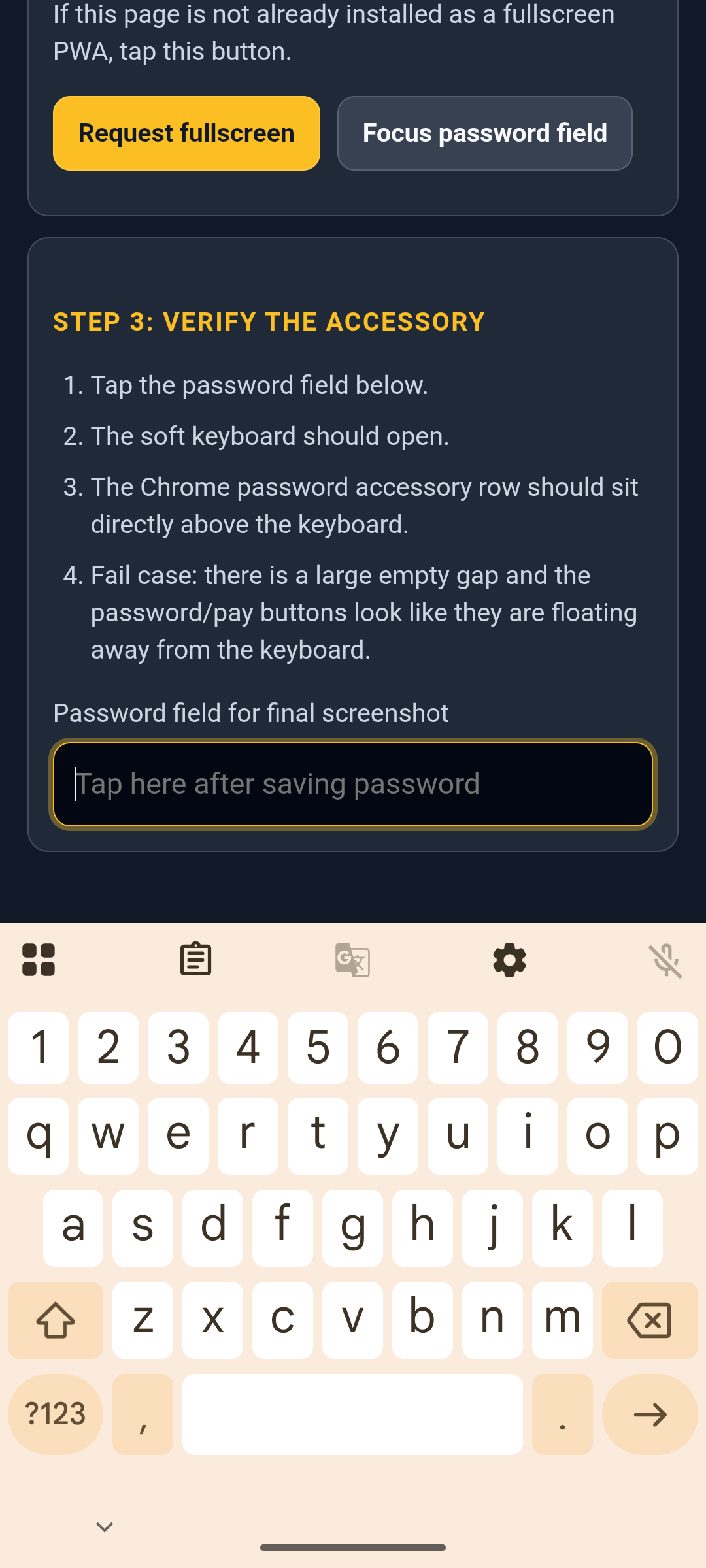
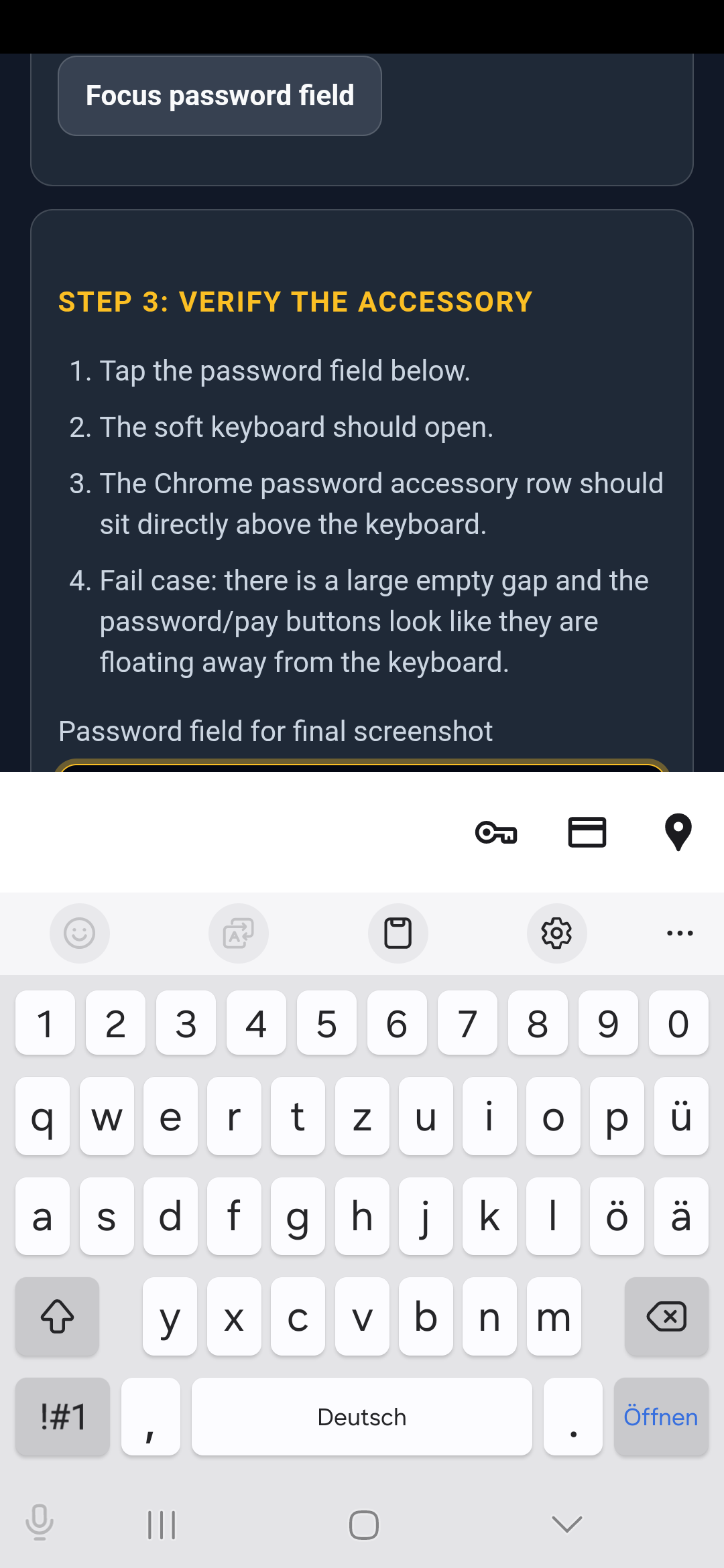
Public Chromium cannot create a production saved-password entry on this device. The complete automated check combines the physical fullscreen PWA run, which verifies resizing-IME geometry and no empty gap, with AutofillKeyboardAccessoryIntegrationTest#testTapInputFieldShowsKeyboardAccessory, which injects a suggestion and exercises the real Chrome accessory UI. Both parts passed on the same device.
interactive-widget=resizes-content WebKit repro
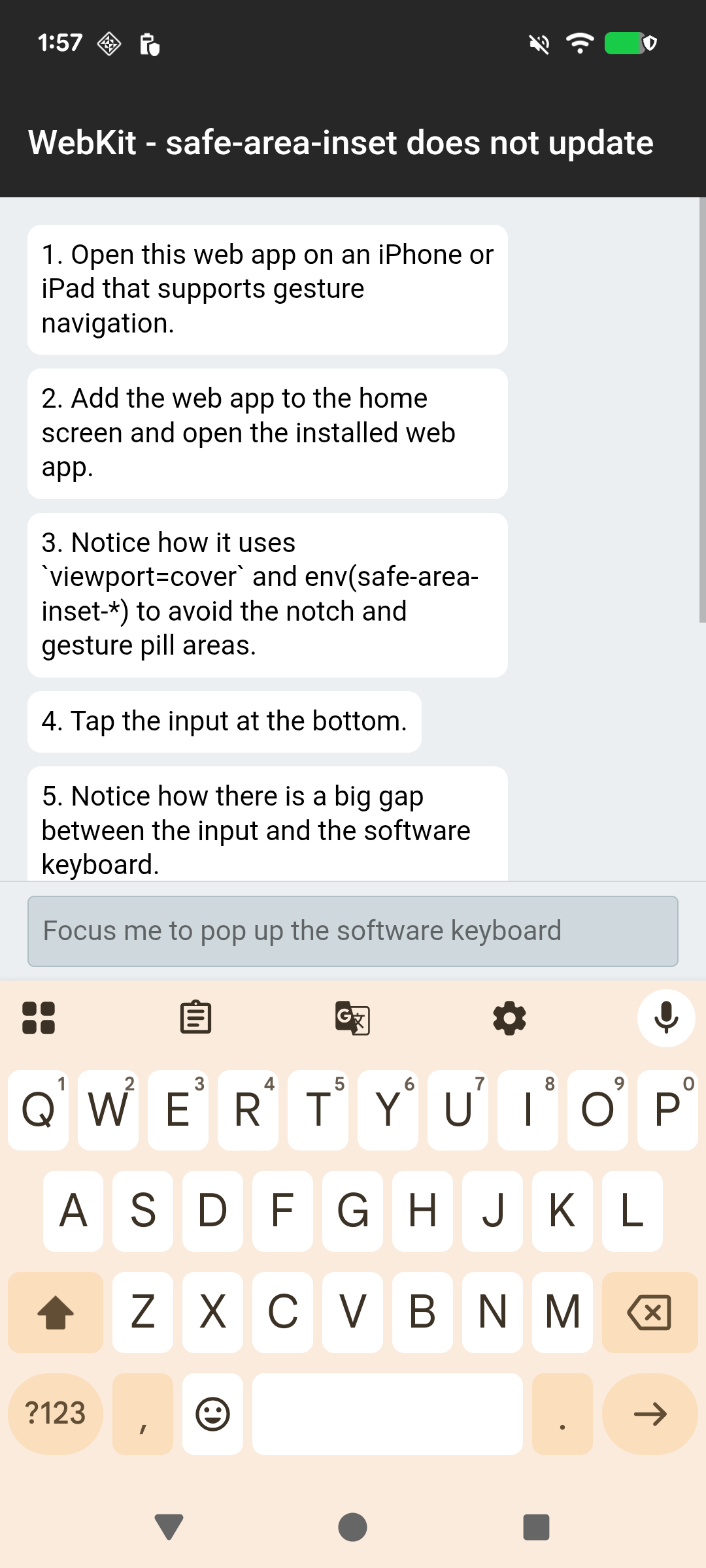
The installed WebKit Repro PWA exposes the stale safe-area-inset-bottom bug directly. With the all-fixes APK plus CL 8207801, focusing its bottom input resizes innerHeight from 914px to 572px and updates bottom padding from 56px to 8px; the input ends at 563.8px inside the 571.8px visual viewport, so there is no stale 56px gap above the IME. Raw metrics: before / after.
Downloadable automation
The complete hardware workflow is published with direct links so another Chromium checkout and Android device can reproduce the run.
The bundle also contains the separately scoped sampler pages needed to install independent stock Chrome WebAPKs.
Method and reproducibility
- Latest run: Pixel 6a, Android 16, 2026-08-08, exit code 0, all-in-one build including the hairline fix.
- All-in-one arm64 APK SHA-256:
d8fede429bccc5328f7f760492bc1c27d9a22a7db8b059f7c75a7658c139db9b. - All-in-one x86 APK SHA-256:
e46439920ab79b515b41ca5065180254b7c3b139388cda4254bd1d06d02e1683. - The APKs contain all fixes: landscape cutout padding (CL 8223545), toolbar hairline (CL 8225723), system bar appearance including navigation buttons (CL 8227486), and resizing-IME safe-area updates (CL 8207801).
- Feature command line:
_ --enable-features=WebAppShortEdgesCutoutMode. - Page metrics were read with Chrome DevTools Protocol over the remote ADB server connection.
- Screenshots include the real Android system bars and keyboard.
- Stock control pages use separate scopes in automation/pages/, allowing five independent WebAPKs.
- Gesture navigation was enabled only for backswipe and gesture-safe-area checks, then restored to the original three-button state.
- Latest automated result:
PASS, 9 passed, 0 failed, 0 skipped, no known issues. - Keyboard accessory instrumentation output: 1 test passed.
- Reusable scripts and rerun instructions are in automation/README.md.
- Screenshot hashes: regression-check-assets/SHA256SUMS.txt and regression-check-assets/SHA256SUMS-pixel6a.txt.