Installed PWA doesn't color the navigation bar with the manifest theme color
Symptom
An installed PWA (WebAPK) colors the status bar with the manifest
theme_color, but the bottom Android navigation bar stays the
platform default (black or white). The result is a system bar that clashes with the app,
most noticeably on dark-themed sites where the nav bar is jarringly white.
Before / After (real device)
Pixel 6a, Android 16, installed PWA with
theme_color = #ff6d00
and a #00897b page body.
Before — bug
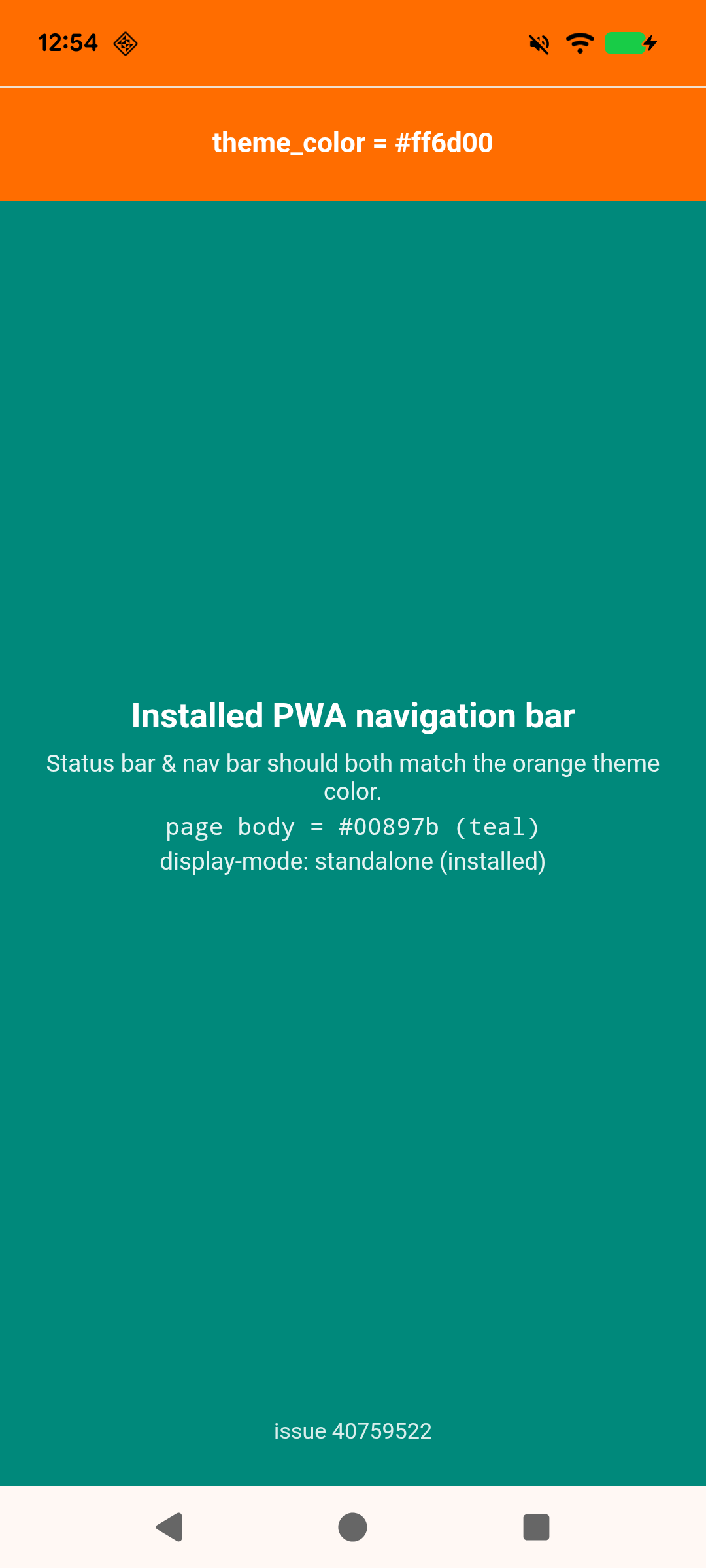
Status bar orange, but nav bar is the default white — does not match.
After — fixed
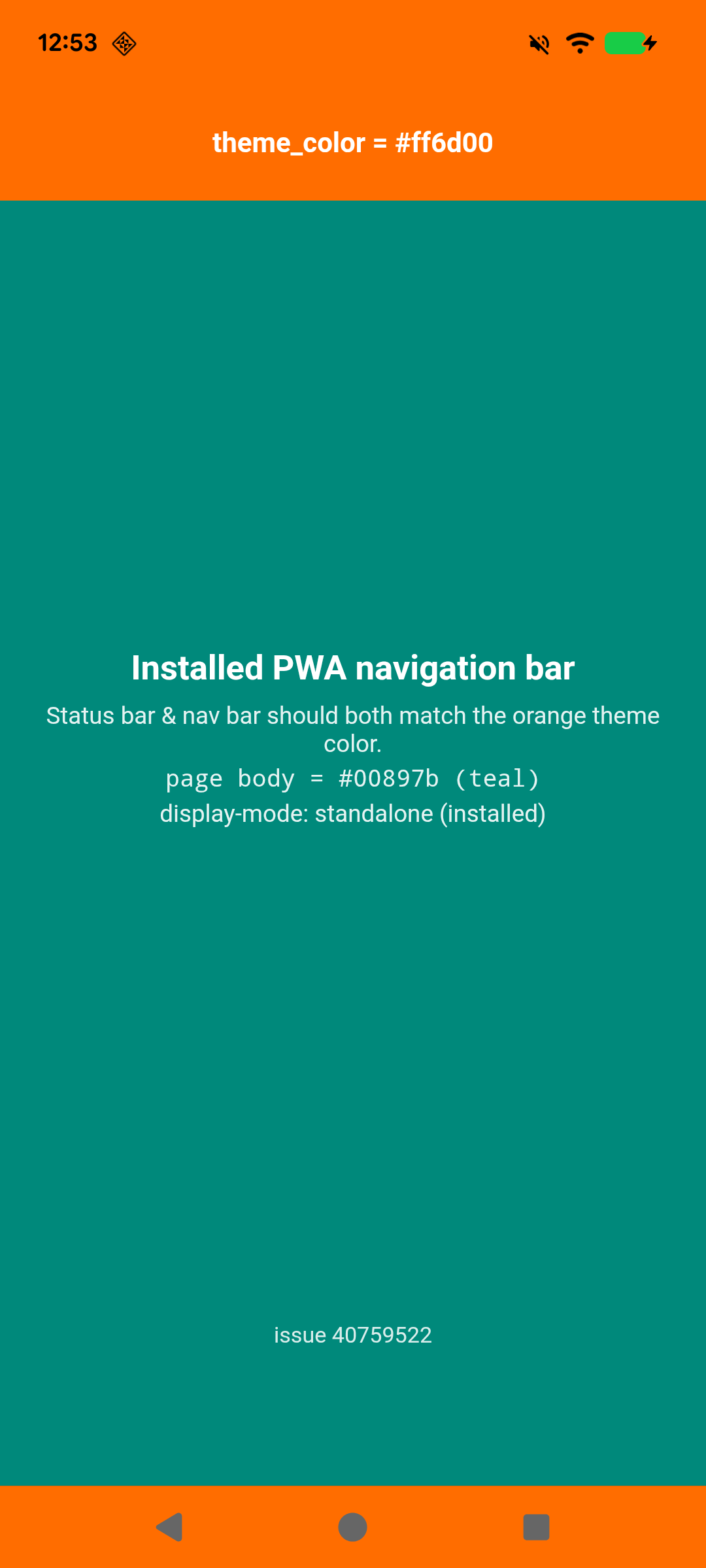
Nav bar now matches the theme color, consistent with the status bar.
Try it
Install this page as a PWA on Android and launch it — the nav bar should match the orange theme color.
Test build (arm64)
Local ChromePublic build with the fix, feature on by default. Install on an
arm64 Android device, install the test PWA below, and launch it.
adb install -r ChromePublic-arm64-navbar-fix.apk