contenteditable + display:contents is not editable
Summary
An element with contenteditable="true" and
display: contents cannot be edited by clicking into it.
The caret can be placed, but focus never moves to the editable element
(it stays on <body>), so keystrokes are ignored.
Programmatic editing (focus() + execCommand)
works; only the mouse/interactive path is broken.
Root cause
On mouse press, MouseEventManager::HandleMouseFocus walks up
from the hit node looking for a mouse-focusable element.
Element::IsFocusableStyle() uses the existence of a
LayoutObject as a proxy for "rendered". A
display: contents element has no layout object, so the
editable host is treated as non-focusable, focus falls through to
<body>, and typing goes nowhere.
The general fix (DisplayContentsFocusable, crbug.com/1366037)
exists since 2024 but is still experimental; its Intent to Ship was denied
due to focusability divergence from Gecko/WebKit for slots/tabindex. The
fix here is a narrow carve-out: a display: contents element
whose used user-modify is editable is considered focusable.
Live repro
Open the repro page and click into the first line, then type. In unfixed
Chrome nothing happens (status line shows BODY focused);
in a fixed build the text is editable, like the second (normal) line.
Actual vs expected
Actual (unfixed)
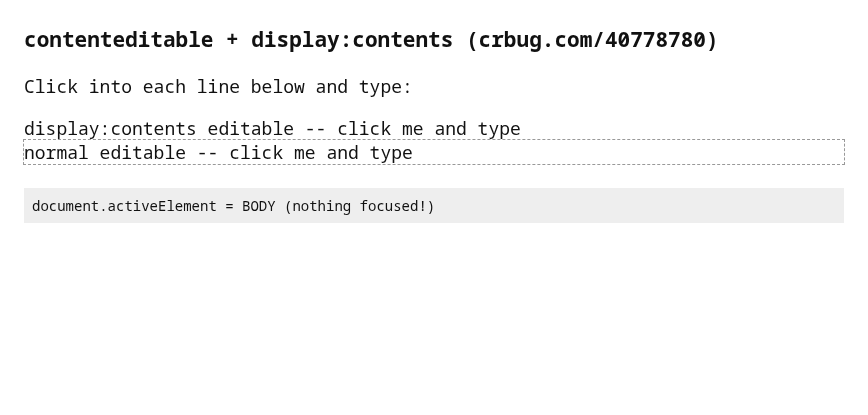
Click + typing "TYPED!": focus stays on BODY, text unchanged.
Expected (fixed)
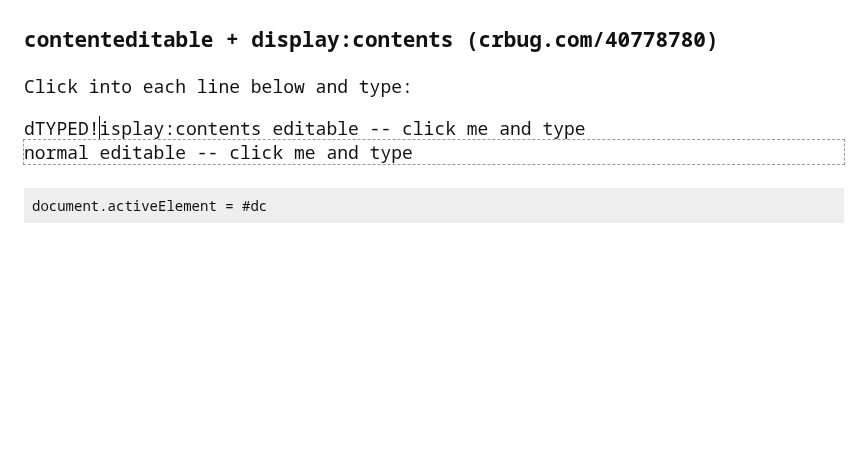
Same input: element focused, "TYPED!" inserted at the caret.
Fixed build (browser window)
Chromium with fix
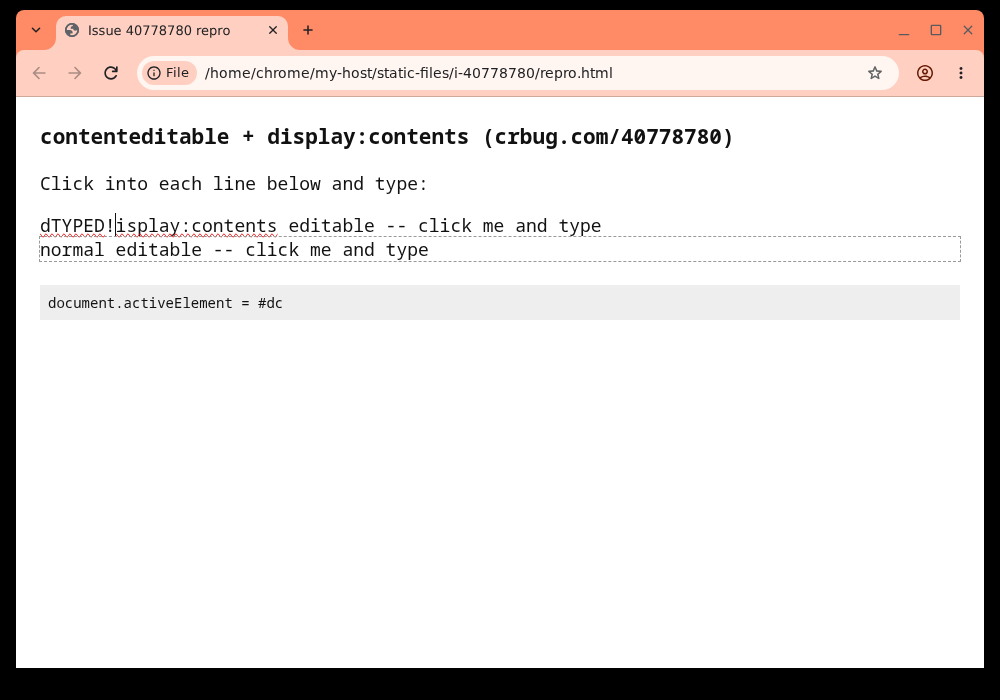
Click into the display:contents line and type: text is edited, status shows #dc focused.
Repro steps
1. Open repro.html
2. Click into "display:contents editable -- click me and type"
3. Type any character

Expected: text is inserted at the caret (like Safari)
Actual:   nothing happens; document.activeElement stays on BODY
Links
Issue: crbug.com/40778780
Related: crbug.com/1197228 (descendant contenteditable), crbug.com/1366037 (DisplayContentsFocusable feature)