Disabled textarea opacity in dark mode
The mismatch
A disabled appearance:auto textarea sits on a blue
page. Both modes compute a background with alpha 0.3, but the
native painter ignores that CSS background. In dark mode the previous native
fill was fully opaque; light mode already used translucent layers.
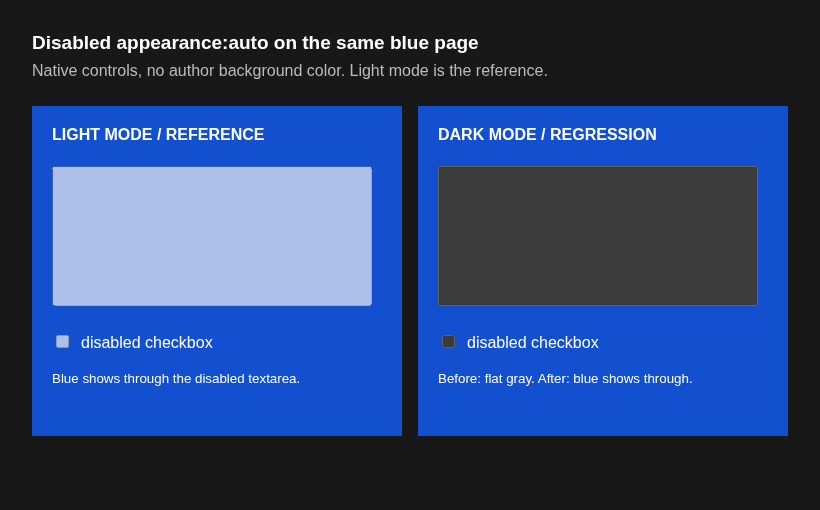
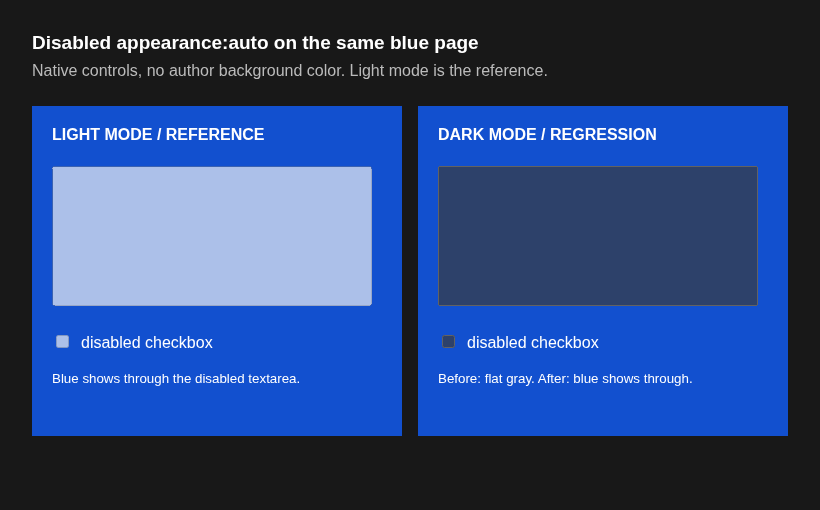
The left half of each image is the unchanged light-mode reference. Look at the dark-mode textarea on the right half: its fill changes from flat gray to blue-gray when the page behind it shows through.
center rgb(172, 192, 233)center rgb(59, 59, 59)center rgb(45, 65, 106)Actual Chromium captures
Same locally built content_shell in both runs,
color-scheme: dark on the right and
color-scheme: light on the left. Before disables only
DarkModeTranslucentDisabledControls. No CSS background override.
The screenshots include a disabled checkbox as another native control.

Live native controls
This iframe is rendered by your browser. Switch its color scheme or run the reproducible captures with the script below.
Paint path and scope
NativeThemeBase::PaintTextField paints the
kColorWebNativeControlLightenLayer and then the disabled
kColorWebNativeControlCheckboxBackgroundDisabled fill. In dark
mode both were opaque gray. The patch gives the dark-mode layers the same
alpha values as their light-mode counterparts, gated by a default-on
kill switch. The author-background-color issue is separate:
#446078854.
Run the captures from ~/lab/samplers/i-421348760:
xvfb-run -a python3 capture_screenshots.py (requires Pillow and
websocket-client). Unit tests cover dark, light, and the flag-off fallback.