Web app install information exposed through HTML-in-canvas
Problem
Pixel readback crosses an install-state boundary
<install> can render browser-controlled "Install" or "Launch" UI. HTML-in-canvas lets script draw a descendant element and read its pixels. If installed state changes those pixels, a page can infer whether the app is installed.
Before / after

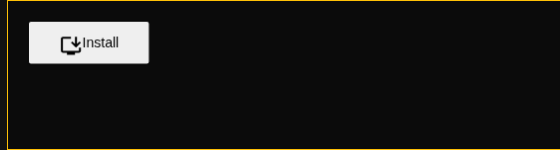
These are captures from out/Default/chrome with the installed-state callback deterministically set to true. This isolates the security boundary while the production implementation separately keeps installation-status querying disabled pending its width-side-channel mitigation.
Run
Required experimental features
Launch Chromium with the install element and HTML-in-canvas enabled:
out/Default/chrome \
  --user-data-dir=/tmp/i-505068936-chromium \
  --enable-features=InstallElement \
  --enable-blink-features=InstallElement,CanvasDrawElement \
  https://static.januschka.com/i-505068936/
Google Chrome Canary on macOS
"/Applications/Google Chrome Canary.app/Contents/MacOS/Google Chrome Canary" \
  --user-data-dir=/tmp/i-505068936-canary \
  --enable-features=InstallElement \
  --enable-blink-features=InstallElement,CanvasDrawElement \
  https://static.januschka.com/i-505068936/
Google Chrome Canary on Windows
"%LOCALAPPDATA%\Google\Chrome SxS\Application\chrome.exe" ^
  --user-data-dir="%TEMP%\i-505068936-canary" ^
  --enable-features=InstallElement ^
  --enable-blink-features=InstallElement,CanvasDrawElement ^
https://static.januschka.com/i-505068936/waiting for sample...
Expected
An install element in a canvas subtree must always use the generic "Install" appearance. An installed-state response arriving after insertion must not change it to "Launch", and moving a previously updated element into the canvas must clear its launch appearance.
Minimal case
<canvas id="canvas" layoutsubtree>
  <install id="install"></install>
</canvas>
<script>
canvas.onpaint = () => {
  const context = canvas.getContext("2d");
  context.drawElementImage(install, 0, 0);
  context.getImageData(0, 0, canvas.width, canvas.height);
};
canvas.requestPaint();
</script>