Trusted Web Activities: short-edges cutout / edge-to-edge support
What changed
WebAppShortEdgesCutoutMode previously coordinated edge-to-edge and display-cutout
handling only for installed webapps and WebAPKs (WebappActivity). Trusted Web
Activities launch in CustomTabActivity and were only half-wired: the cutout
delegate could see a TWA display mode, but the activity never deferred its window token or
installed the inset consumer.
With the change, an eligible TWA behaves like a WebAPK: the window starts fitted, and only a
page declaring viewport-fit=cover goes full-bleed under the status bar via
DisplayCutoutController. ImmersiveMode TWAs keep their client-supplied
cutout mode. Ordinary Custom Tabs are untouched. Fullscreen TWAs are covered by the top-level
flag; DefaultMode (standalone) additionally requires the default-off
enable_standalone parameter.
Try it yourself
TWAs cannot be launched from a web page, so this sampler ships a minimal launcher app. The site publishes Digital Asset Links for the APK's signing key, so the TWA opens fully verified (no Custom Tab toolbar).
Download launcher APK (~800 KB) Open the probe page in a browser tab
- Install the APK (
adb install twa-sampler-566271943.apk; it is self-signed, so sideloading warnings are expected). Source: MainActivity.java, AndroidManifest.xml, build notes. - In a Chromium build containing the change, enable the feature, e.g.
adb shell "echo '_ --enable-features=WebAppShortEdgesCutoutMode:enable_standalone/true' > /data/local/tmp/chrome-command-line"
and start Chrome twice so the cached flag picks the value up. - Open TWA 566271943 from the launcher and tap
Launch standalone TWA or Launch immersive TWA. The probe page shows live
innerHeight/safe-area-inset-*metrics and lets you switchviewport-fitbetween cover, auto, and contain.
The launcher prefers an installed org.chromium.chrome and falls back to Chrome
stable/beta/dev/canary.
Result matrix (standalone TWA, viewport-fit=cover)
| Build | Flag config | innerHeight | safe-area top/bottom | Result |
|---|---|---|---|---|
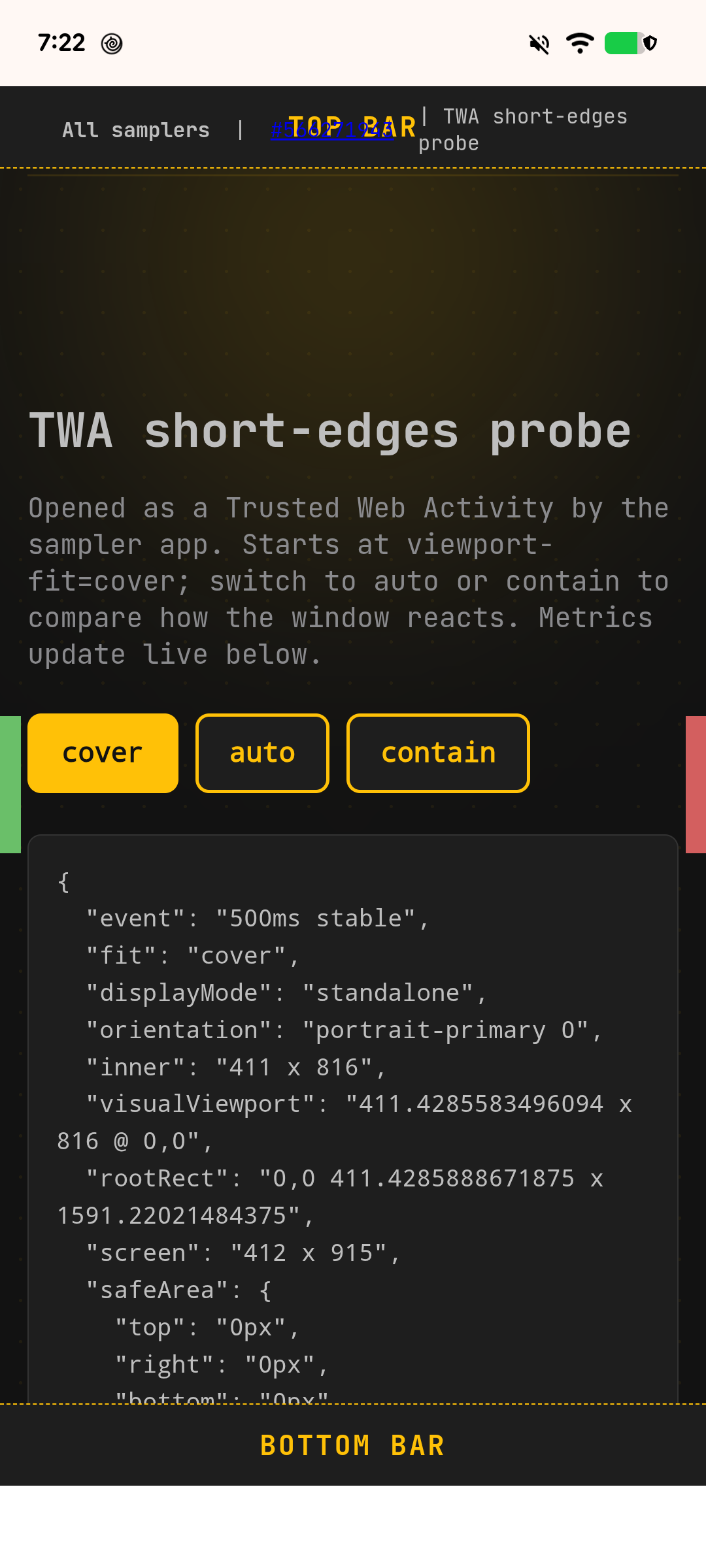
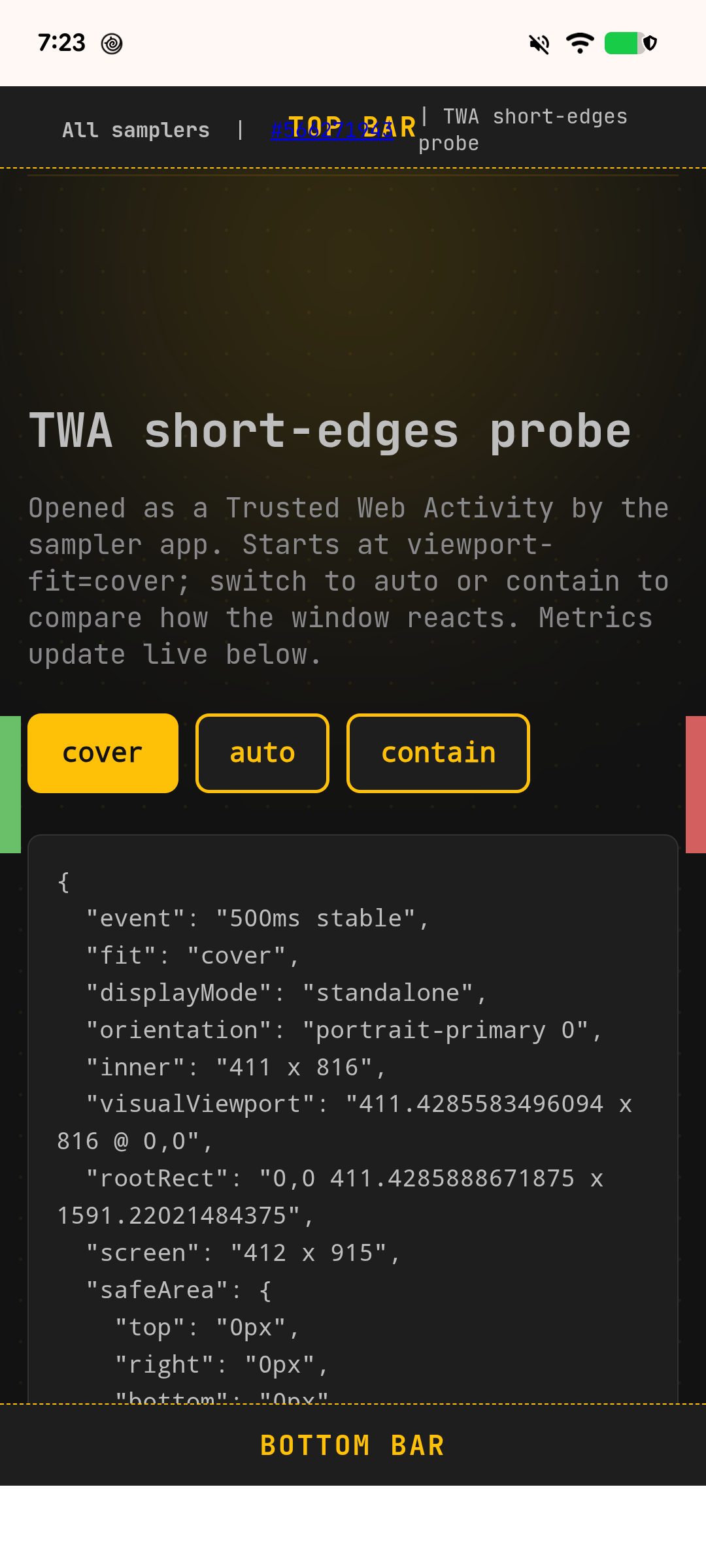
| before (parent CL only) | flag off | 816 | 0 / 0 | fitted |
| before | flag on, param off | 816 | 0 / 0 | fitted |
| before | flag on, param on | 816 | 51 / 0 | still fitted - TWA not wired |
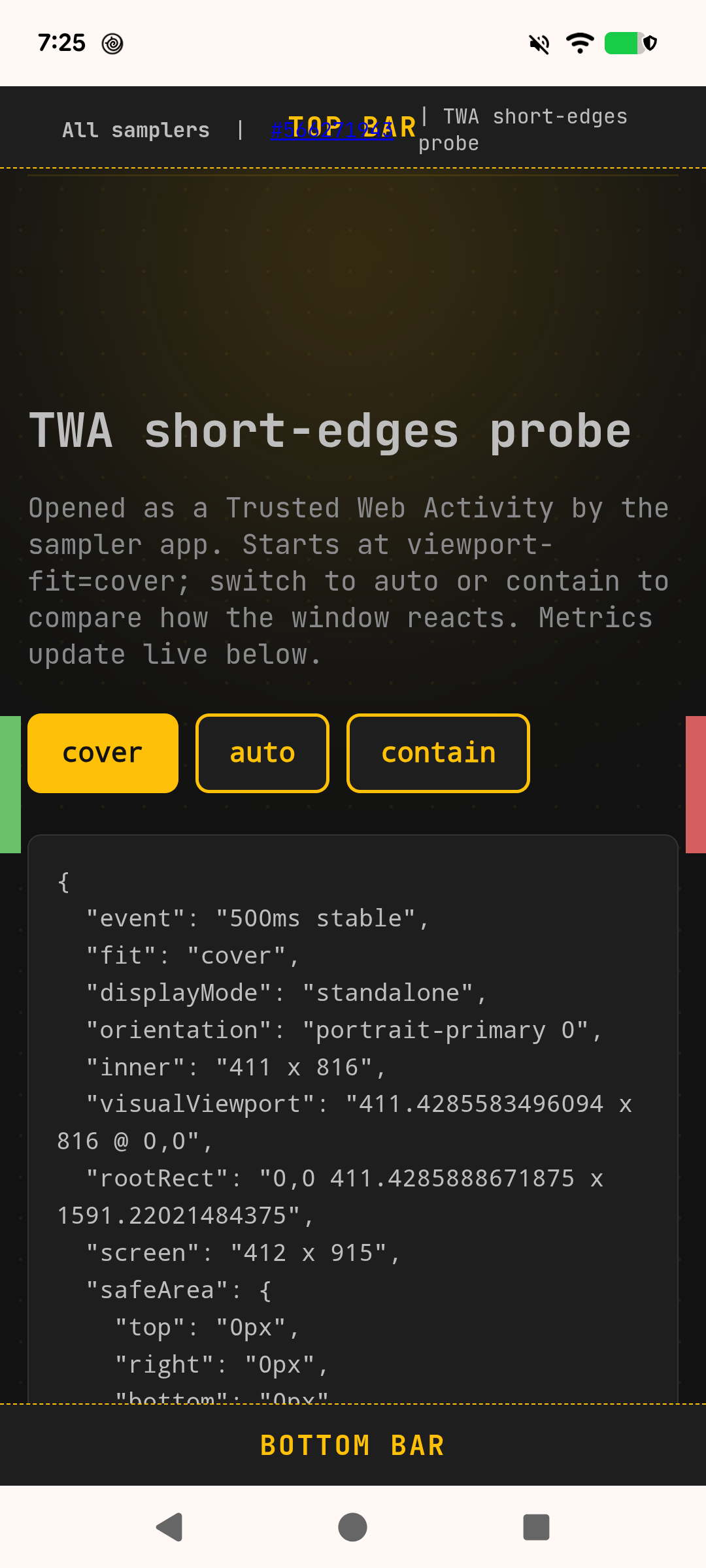
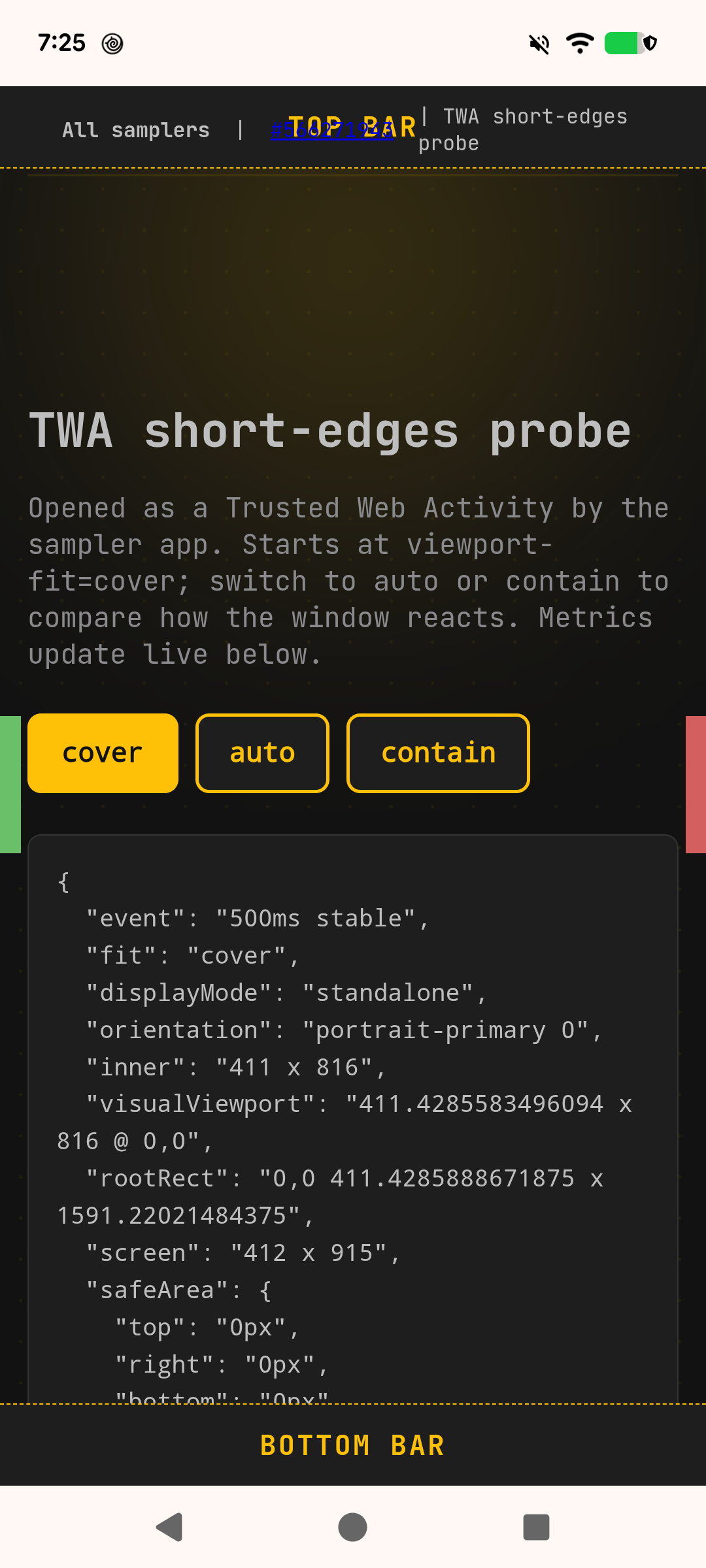
| after (this CL) | flag off | 816 | 0 / 0 | fitted (unchanged) |
| after | flag on, param off | 816 | 0 / 0 | fitted (opt-in still required) |
| after | flag on, param on | 914 | 51 / 48 | full-bleed edge-to-edge |
With the parameter on, switching the page to viewport-fit=auto returns to the
fitted 816px layout, and the immersive TWA hides the system bars entirely while reporting the
same 51px/48px safe areas.
Before / after screenshots (flag on, enable_standalone on)
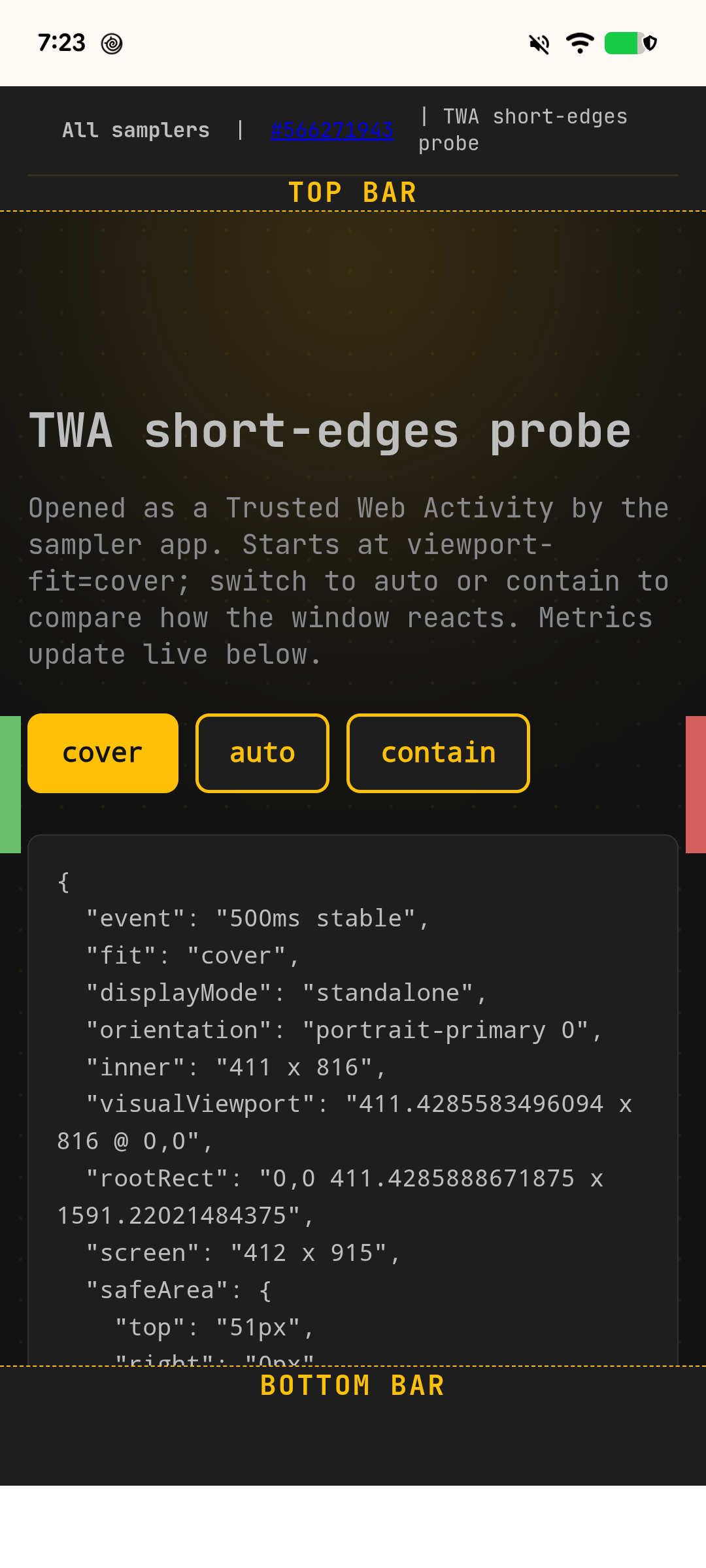
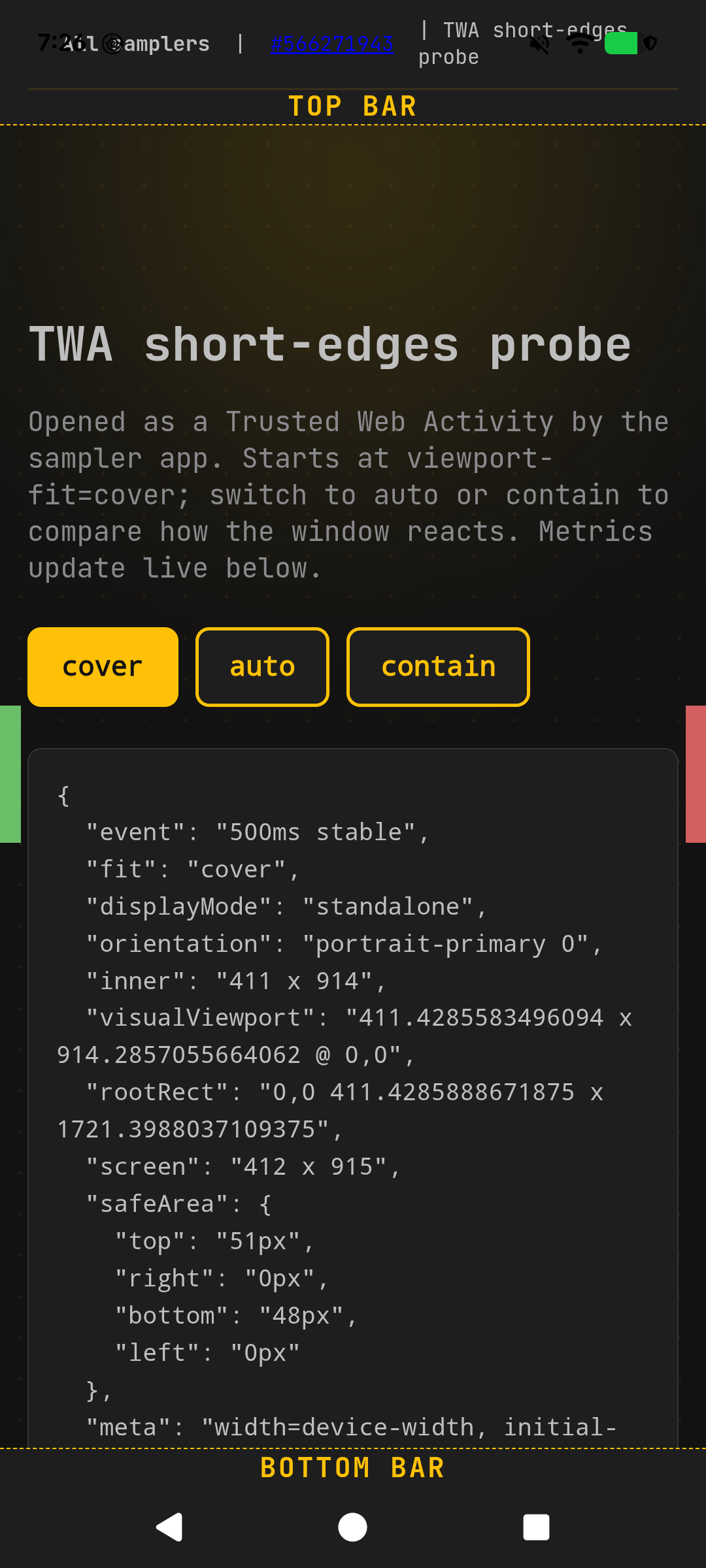
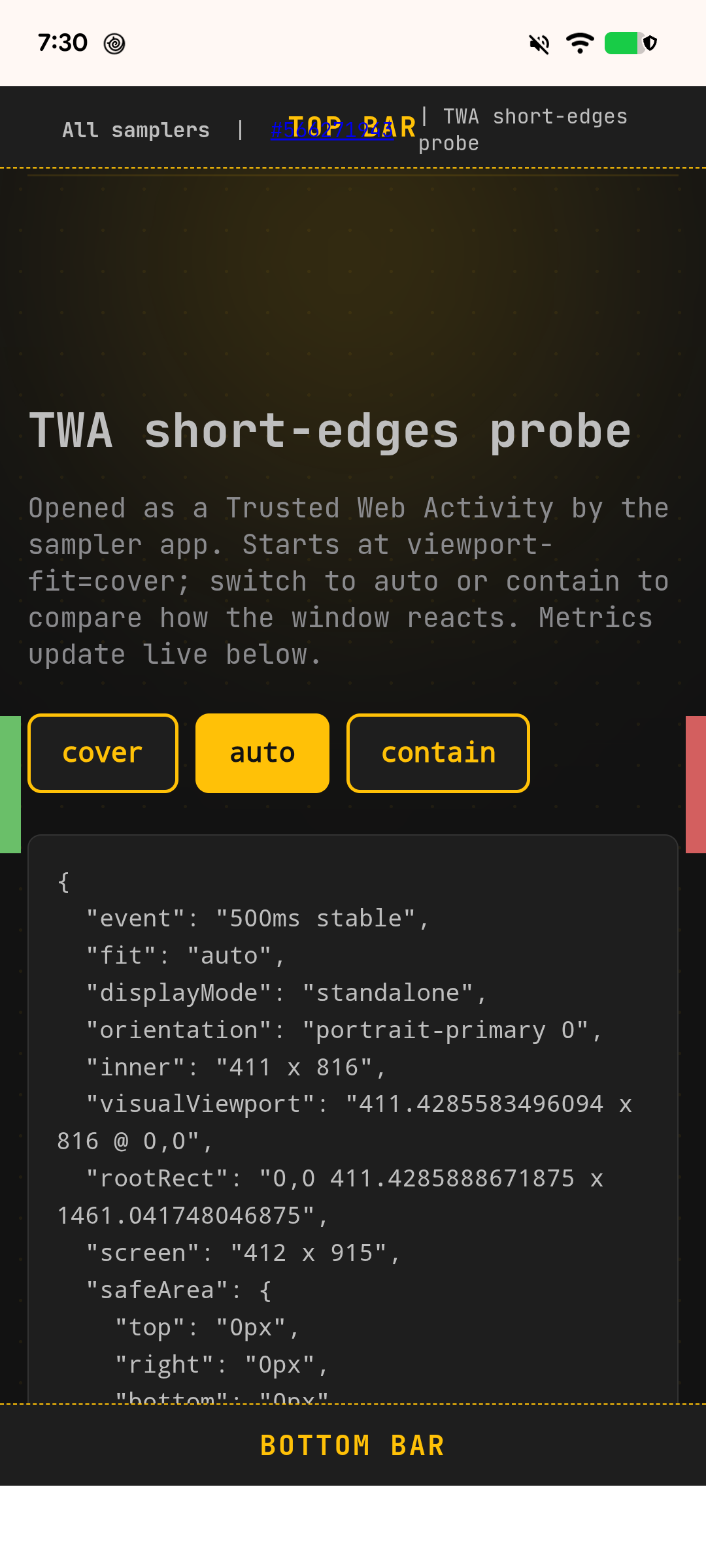
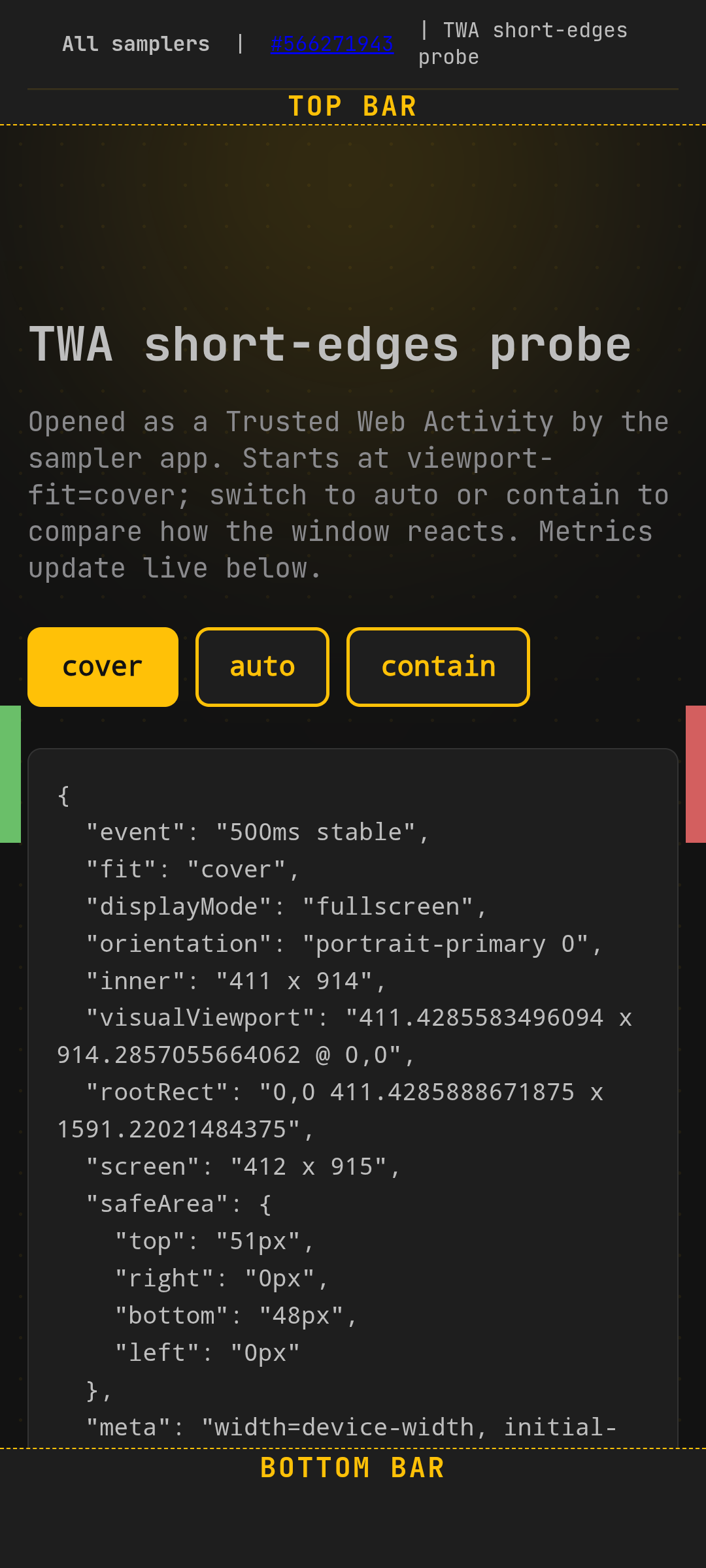
Flag off / parameter off (both builds stay fitted)
Environment
- Device: Pixel 6a, Android 17; Chromium 156.0.8071.0 local builds.
- "Before" build contains the parent standalone-parameter CL but not the TWA change; "after" adds the TWA change on top.
- Flag configs were applied via
/data/local/tmp/chrome-command-linewith two warm starts so cached feature values pick them up.